

Your Instagram, answering for itself
Comments, direct messages and the buttons in between — handled the second they happen, in the words you wrote, whether or not you are holding the phone.
The same night, twice
Four things that happen on an ordinary evening on Instagram — and where each one ends up.
Three places it does the work
All three run on the same rules, so an answer you write once is an answer everywhere.
Comments on your posts
Someone comments your keyword and gets a public reply under the comment and your link in their inbox — within seconds, on every post, for as long as the post lives.
Direct messages
A message gets a greeting and a menu immediately. The everyday questions are answered from what you wrote, and anything else is passed to you with the conversation so far.
Buttons and follow-ups
The DM can carry buttons rather than pasted links, and can ask for a follow before it hands the link over — so the reach becomes an audience.
Pick the day that looks like yours
The same tool on three very different Instagram days. Every film is a screen recording, not a mock-up.
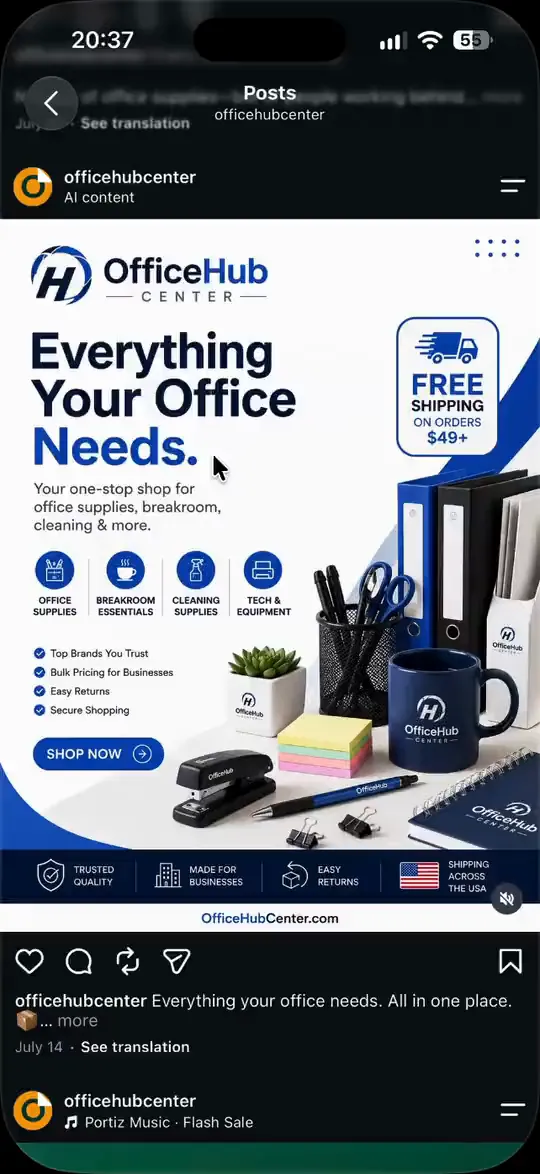
Someone asks how to order, right under your post.
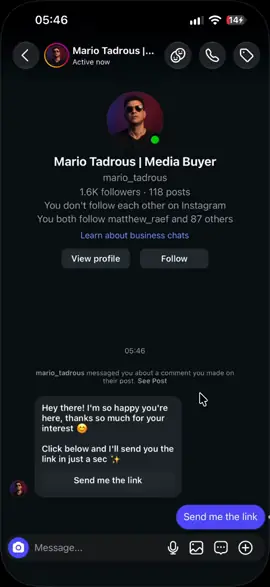
The link waits behind a follow
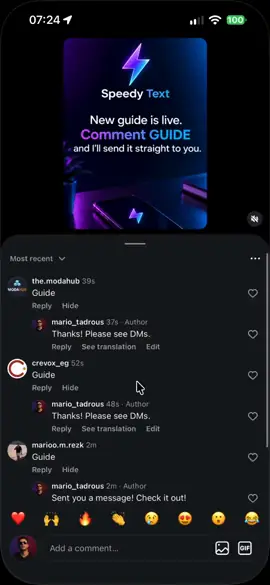
Auto-reply on every comment
From “how do I order?” to your store, in one tap
A customer asks under your post. The public reply tells everyone reading that questions get answered here, and the link is already waiting in their DMs.
- Your keyword on every post, or on one post only
- The link arrives as a button, not a pasted URL
- Connect Shopify or EasyOrders and it answers with your real prices
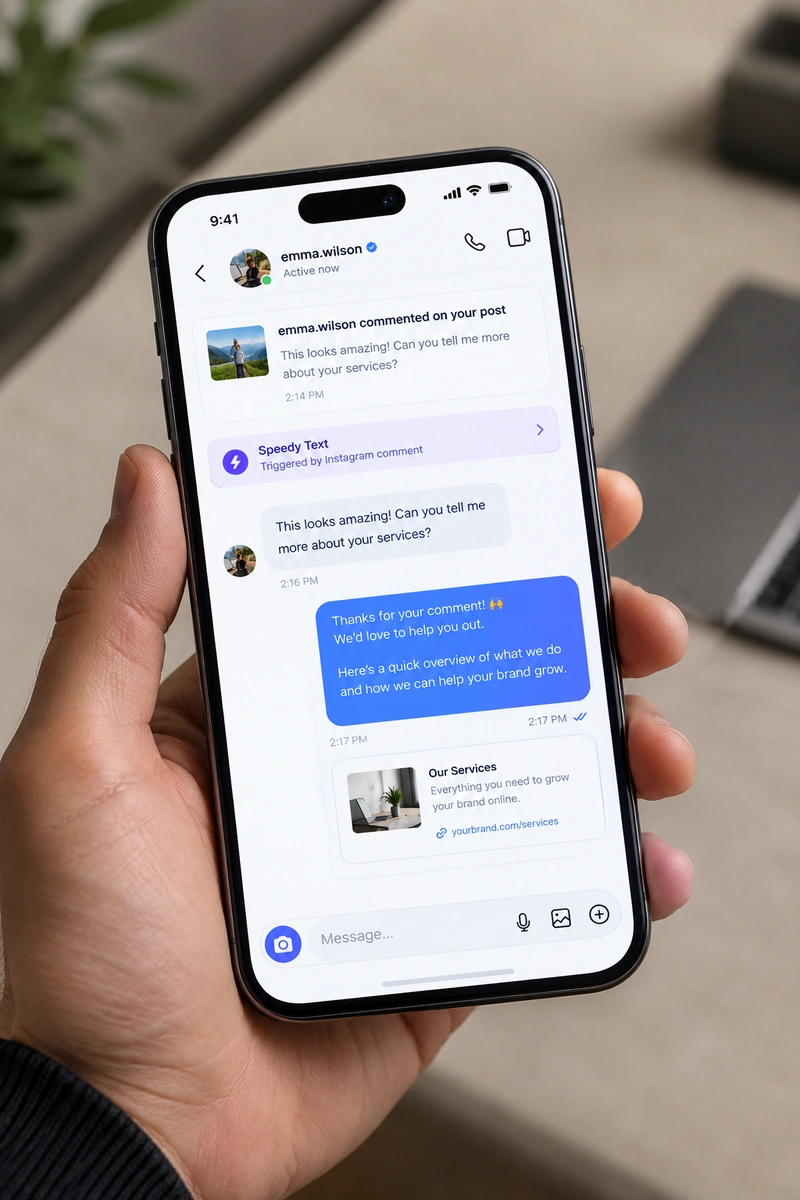
What happens between the comment and the sale
The whole run, from someone typing a word to your link being open on their screen.
- Someone comments the keyword you chose — a word, an emoji, or even a bare punctuation mark, all on one rule.
- Speedy Text replies under the comment publicly, so the rest of the thread sees that questions get answered here.
- The same person gets a direct message with your reply and your link, or a button that opens it in one tap.
- If you turned on the follow-gate, the link arrives after they follow — asked once, in your words, and repeated in Arabic if they don't.
- If they reply and the rules don't cover it, the conversation lands with you, marked, instead of being guessed at.
What Instagram lets an app do, and what it does not
These are Instagram's rules, not settings we chose. They are the reason the order above is what it is, and they are worth knowing before you connect rather than after.
- A comment is what opens the door
- An app cannot message an Instagram user out of nowhere. Somebody has to write to you first — and a comment on your post counts. That is why the reply under the comment and the DM are one action rather than two: the comment is what earns the right to send the DM.
- One private reply per comment
- Instagram allows a single private reply to any given comment. If the same person comments five times on the same post they still get one DM, which is also the behaviour you want — five identical messages reads as a malfunction, not a service.
- The conversation stays open for 24 hours
- From their last message to you. Inside that window you can answer freely; once it closes, the next move is theirs. Everything here answers people, so this window is the whole world it lives in — nothing is ever sent to somebody who has gone quiet.
- Professional accounts only
- Business or Creator, and linked to a Facebook Page. A personal Instagram account has no messaging API at all — switching over is free and takes a minute in the Instagram app itself.
It knows what you sell
An auto-reply sends the same message to everyone. Speedy Text answers the question the person actually asked — from your catalogue, your calendar and your own notes.
 Shopify
 EasyOrders
 Google Calendar
- 1
Real prices, or none
It quotes what is in your store today. A reply containing a figure you never wrote is thrown away before anyone sees it.
- 2
A cart, inside the chat
They say what they want; it adds it, reads the order back to them and sends them to checkout.
- 3
Your real calendar
Bookings read your Google Calendar's free time, so it never offers an hour you're already busy.
- 4
Your words, in their language
It answers from what you wrote, in the language the customer wrote in.
Built for the account you worked to grow
Instagram's official API
The route Meta built for business tools. Nothing logs in as you, and no phone sits somewhere tapping out replies.
Never your password
You approve access on Meta's own screen, and you can take it back there whenever you like.
Every reply on the record
Each comment, reply and DM is in your activity log, with the minute it went out.
Off in one click
Pause a rule or disconnect the account from your dashboard. Nothing keeps running behind your back.
What Instagram asks for first
- A business or creator account — a personal one cannot receive the notifications any of this relies on. Switching is free and takes a minute in the Instagram app.
- A Facebook Page connected to that account. That is Meta's rule; connect the Page and we find the Instagram account attached to it.
- You approve the permissions on Meta's own screen. We never see or ask for your password, and you can revoke it from either side at any moment.
What people ask before connecting
Straight answers to the questions that usually decide it.
Can Instagram restrict my account for using this?
Speedy Text works through Instagram's official API — the one Meta built for business tools — and stays inside its rules: one private reply per comment, and messages only within the 24-hour window. It never logs in as you.
Do I have to give you my password?
No. You connect through Meta's own login screen and approve the permissions there. We never see your password, and you can remove access from Instagram's settings or from ours.
Will it sound like a bot?
The words are yours. You write the comment replies and the DMs, and the AI answers from your own notes. Your followers hear you, not a template.
What happens when it doesn't know the answer?
It doesn't guess. It tells the customer it will check, passes the conversation to you, and the answer you give is added to your notes — so the next person gets it straight away.
Does it work on Reels?
Yes. Comments on a Reel arrive exactly like comments on a post, so one rule covers both.
Do people have to follow me to get the link?
Only if you want them to. The follow-gate is a switch on each rule; leave it off and the link goes straight out.
What should go in my bio link?
Your Speedy Text link-in-bio page, if you like. Its “Message us on Instagram” button opens a DM with you, where your rules take over — and it can sit beside WhatsApp, Telegram, Messenger and email buttons, products from your store, your social icons and your own links. It's on every plan.
I already use ManyChat. Can I switch?
Yes. Contacts → Import brings your ManyChat tags, custom fields and automation names across with your API key — each automation as a template to finish here — and your contacts from ManyChat's own export. Connect your Instagram, finish the templates, then switch the old automations off, so the two don't race to answer the same comment.
Does it reply in Arabic?
The AI answers in the language the customer wrote in — Arabic, English, French, Spanish and more — from notes you wrote once. Rules reach them in their language too — Arabic, English or Spanish — with your prices and links exactly as you wrote them.
Same answers, every app
Connect the others and they share your rules, your notes and one inbox.



Start with 25 people, free.
No card needed. As you grow, you pay for the people you talked to each month — never per message.