Every day

Bring your team

The people who answer with you, each signing in as themselves.

3 steps
1Step 1

Invite someone

On the Team page, write their email and choose a role. An Agent reads and answers conversations in the inbox and sees contacts. A Manager gets everything in the workspace — rules, notes, the AI and the inbox. Then “Send invitation”.
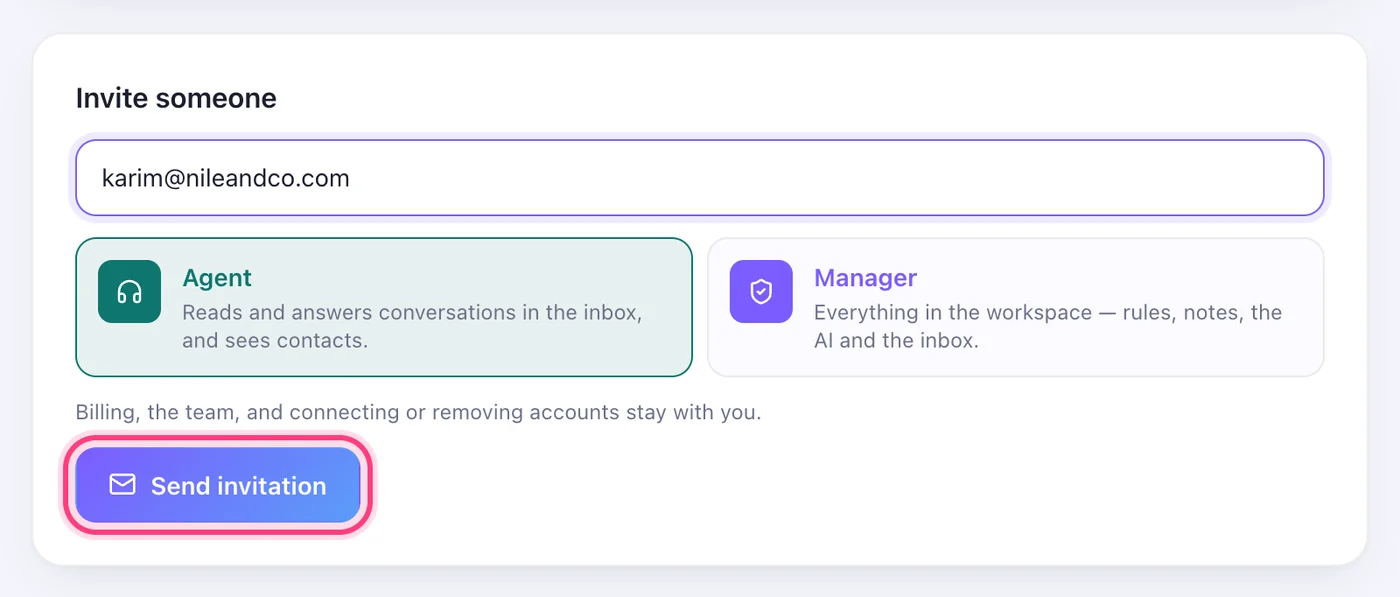
Invite someone
2Step 2

They accept, and they're in

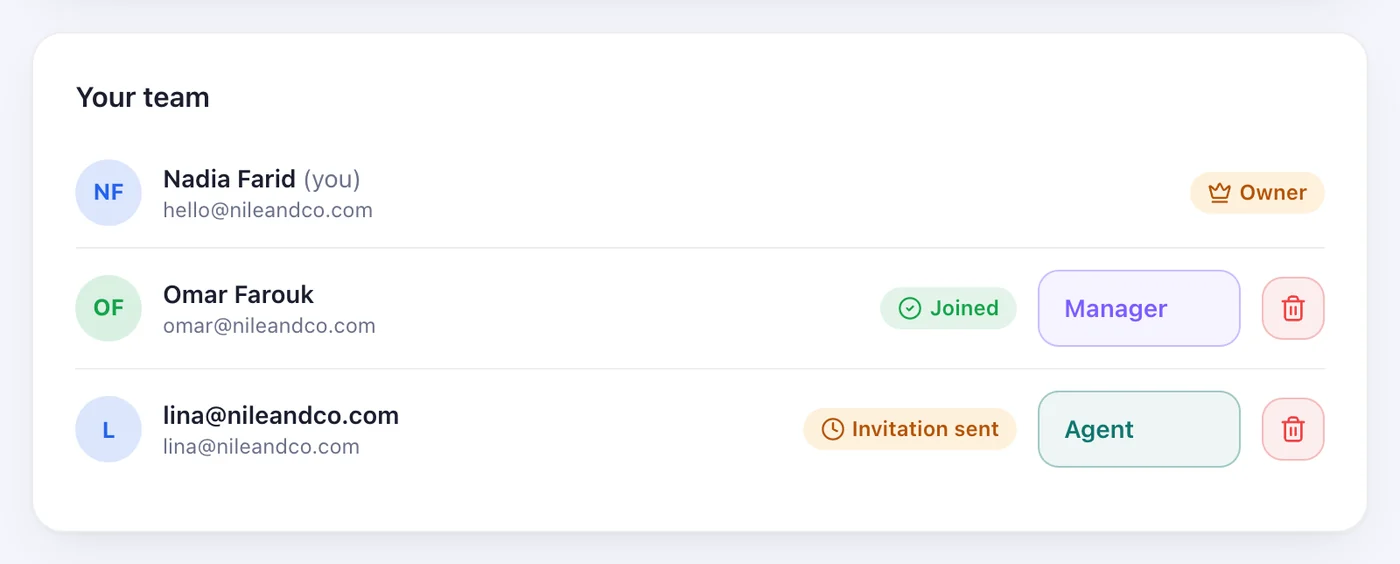
They get an email with a link, and appear in your team as “Joined”. Change anyone's role or remove them from the same list.

They accept, and they're in
3Step 3

Need another seat?

Seats come with Pro and above. Add more with the + under Seats; each extra seat is charged to the card saved for automatic renewal.

Need another seat?

Worth knowing

  • Billing, the team, and connecting or removing accounts stay with you, the owner.
Next guideKnow the moment it mattersStuck on a step?Write to us — a person reads it and answers.