1Step 1
It's marked “with you”
When someone asks for a person, their conversation goes to the top of the Inbox marked “with you”, and the automation stops answering them. Press “Release” to hand it back.
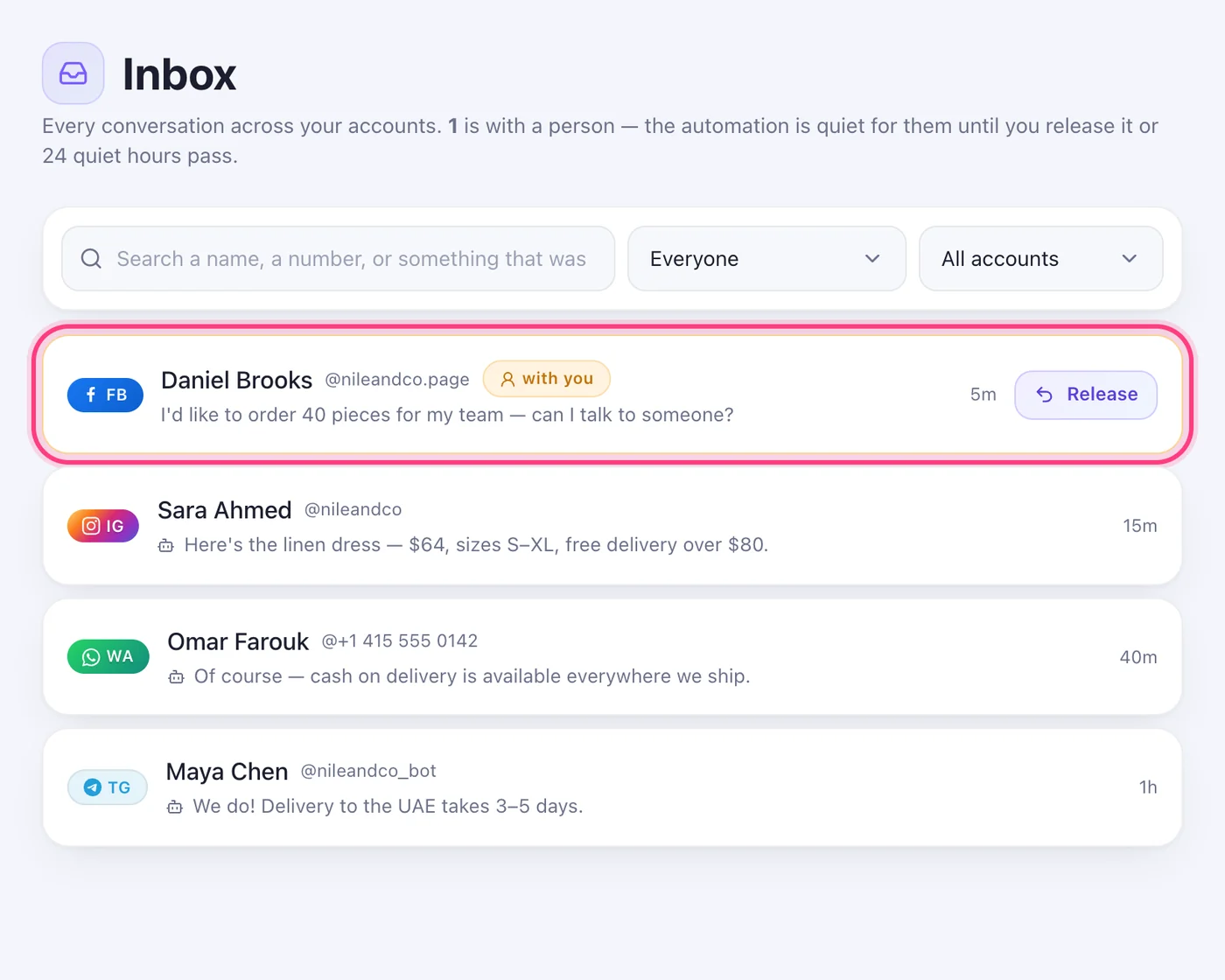
The automation steps back, the conversation waits for you, and you hand it back when you're done.
2 stepsWhen someone asks for a person, their conversation goes to the top of the Inbox marked “with you”, and the automation stops answering them. Press “Release” to hand it back.
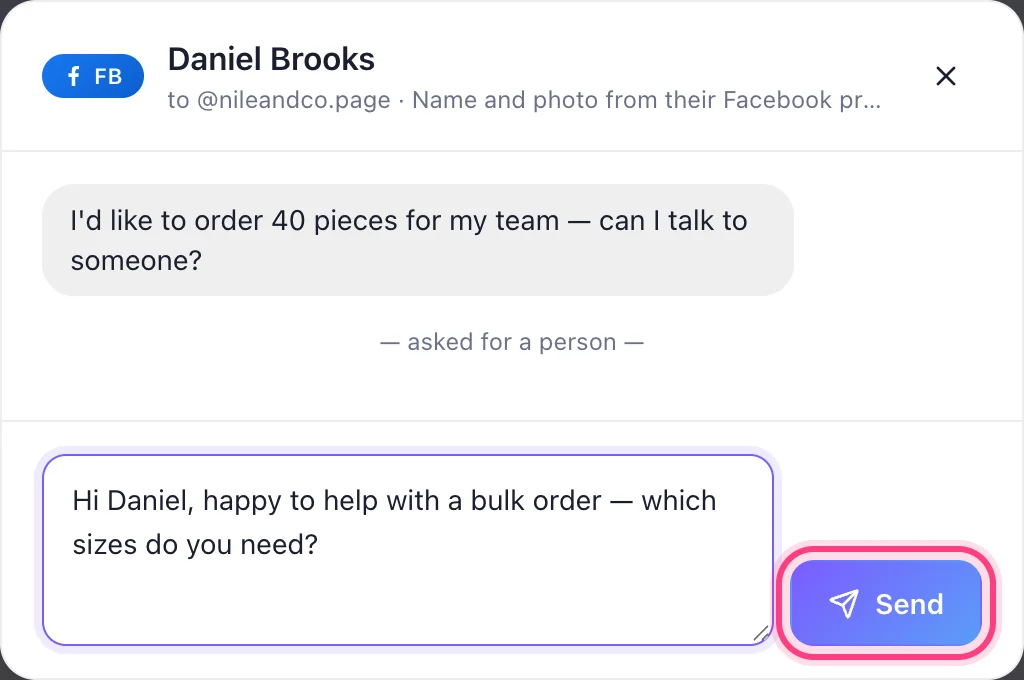
Press the conversation, write your answer and press “Send”. It goes out from the same account they wrote to.