1Step 1
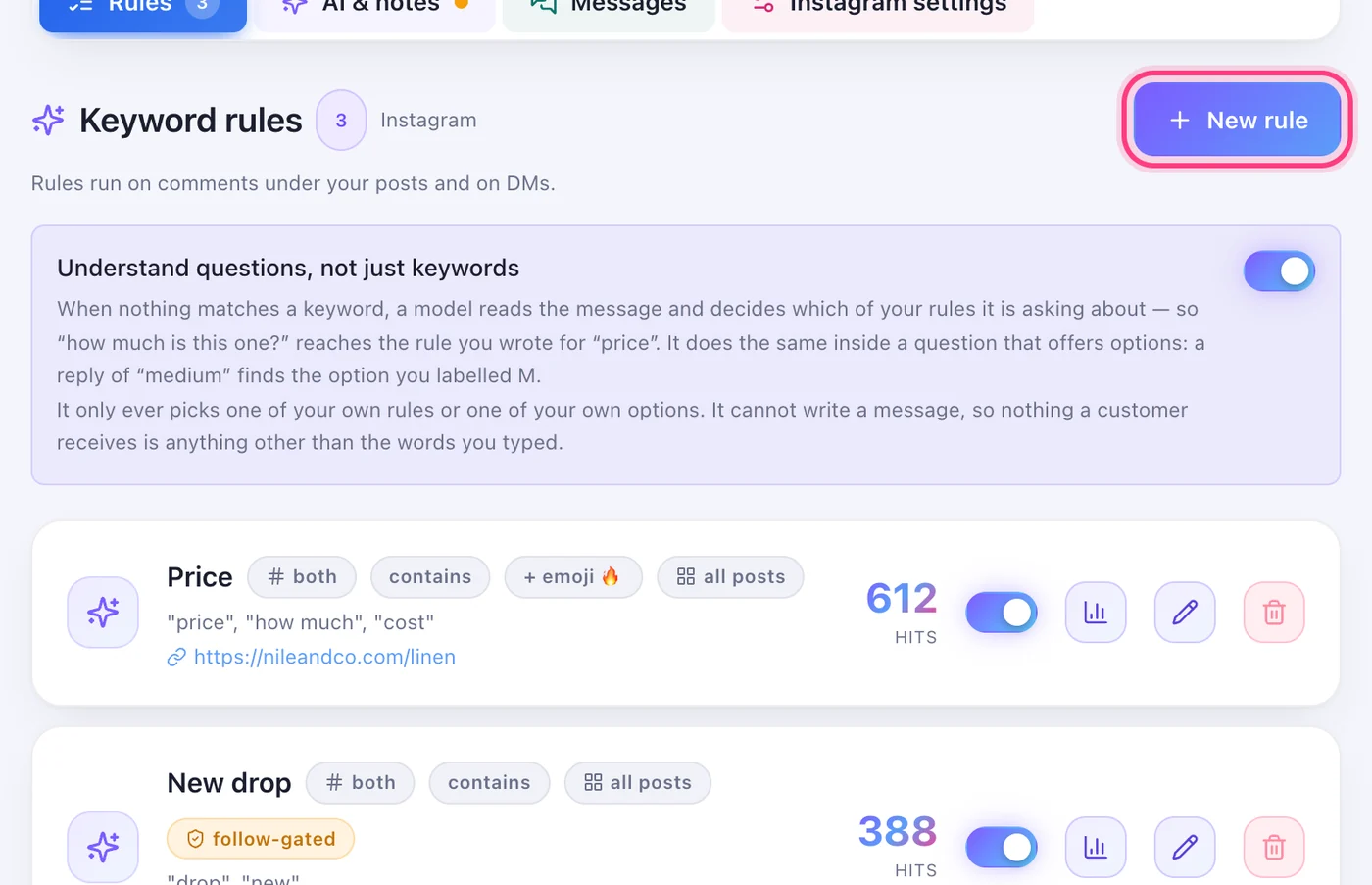
Open the account and press “New rule”
On your Accounts page open the account. The Rules tab is the first one, and “New rule” is at its top.
Someone comments a word, and the reply and the link go out by themselves.
6 stepsOn your Accounts page open the account. The Rules tab is the first one, and “New rule” is at its top.
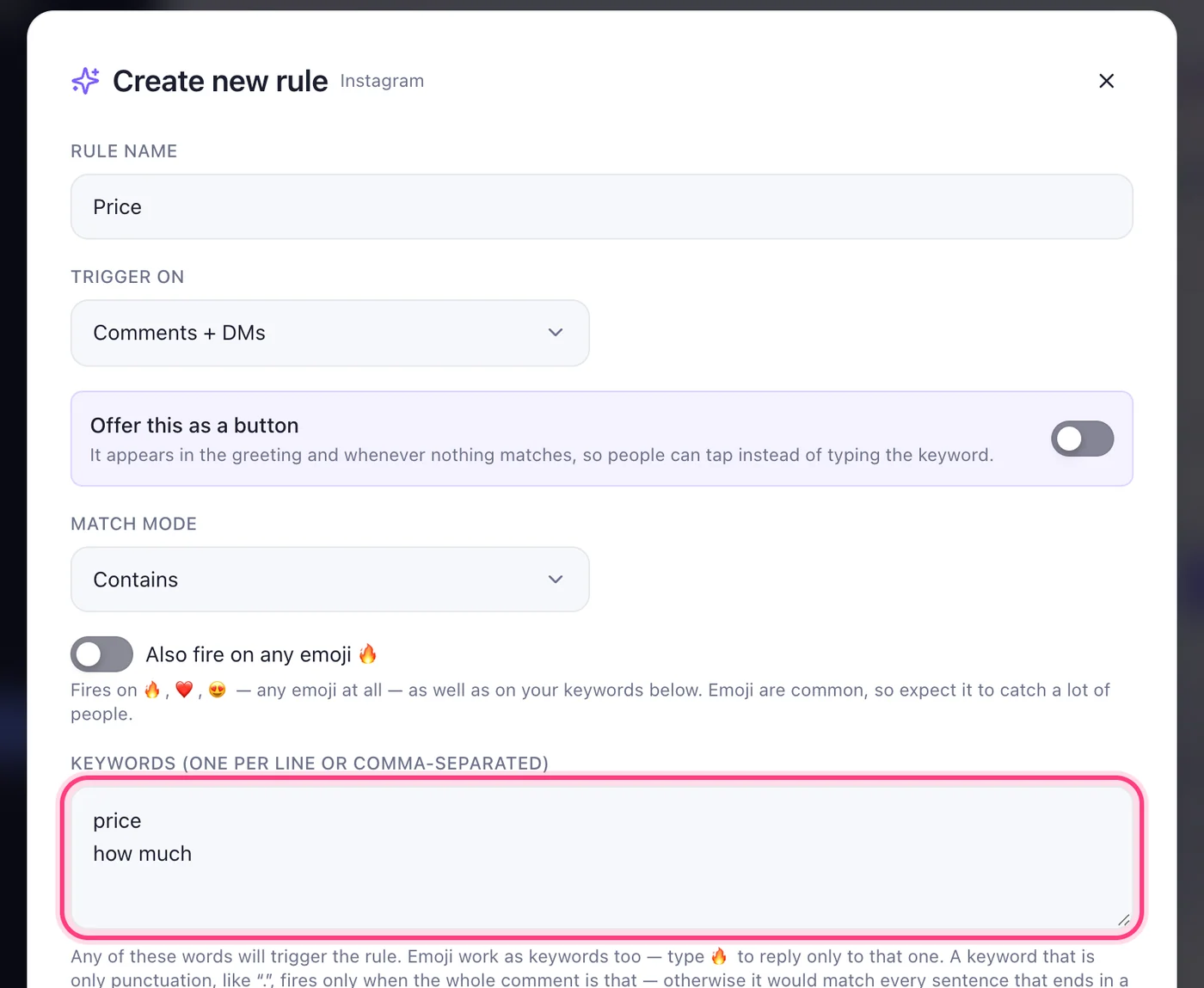
The name is only for you. Under “Trigger on” pick comments, messages, or both. Then the keywords, one per line — any comment or message containing one of them fires the rule. Turn on “Also fire on any emoji 🔥” to catch comments that are only an emoji.
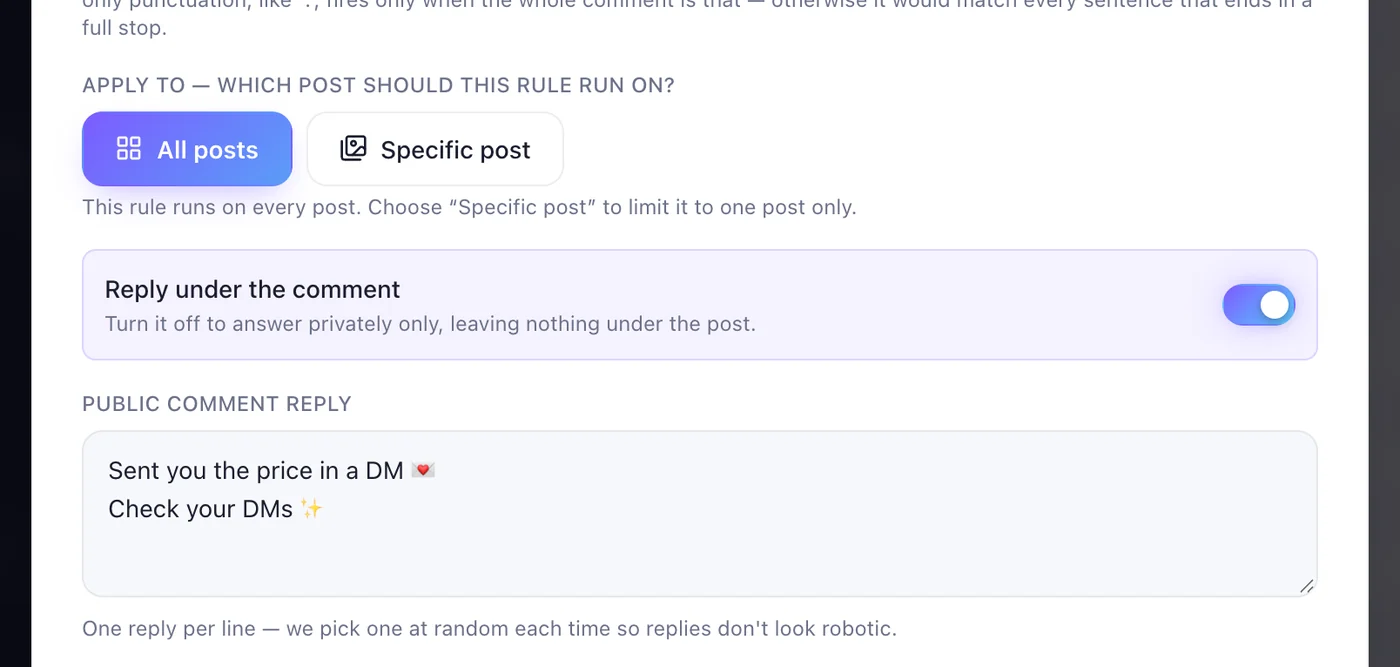
“All posts”, or one “Specific post”. With “Reply under the comment” on, write a few replies, one per line — one is picked at random each time, so it never looks like a bot.
Under “Send a private message”, write what they receive, the button's name (20 characters at most) and the link it opens — a product page, a form, a booking page.
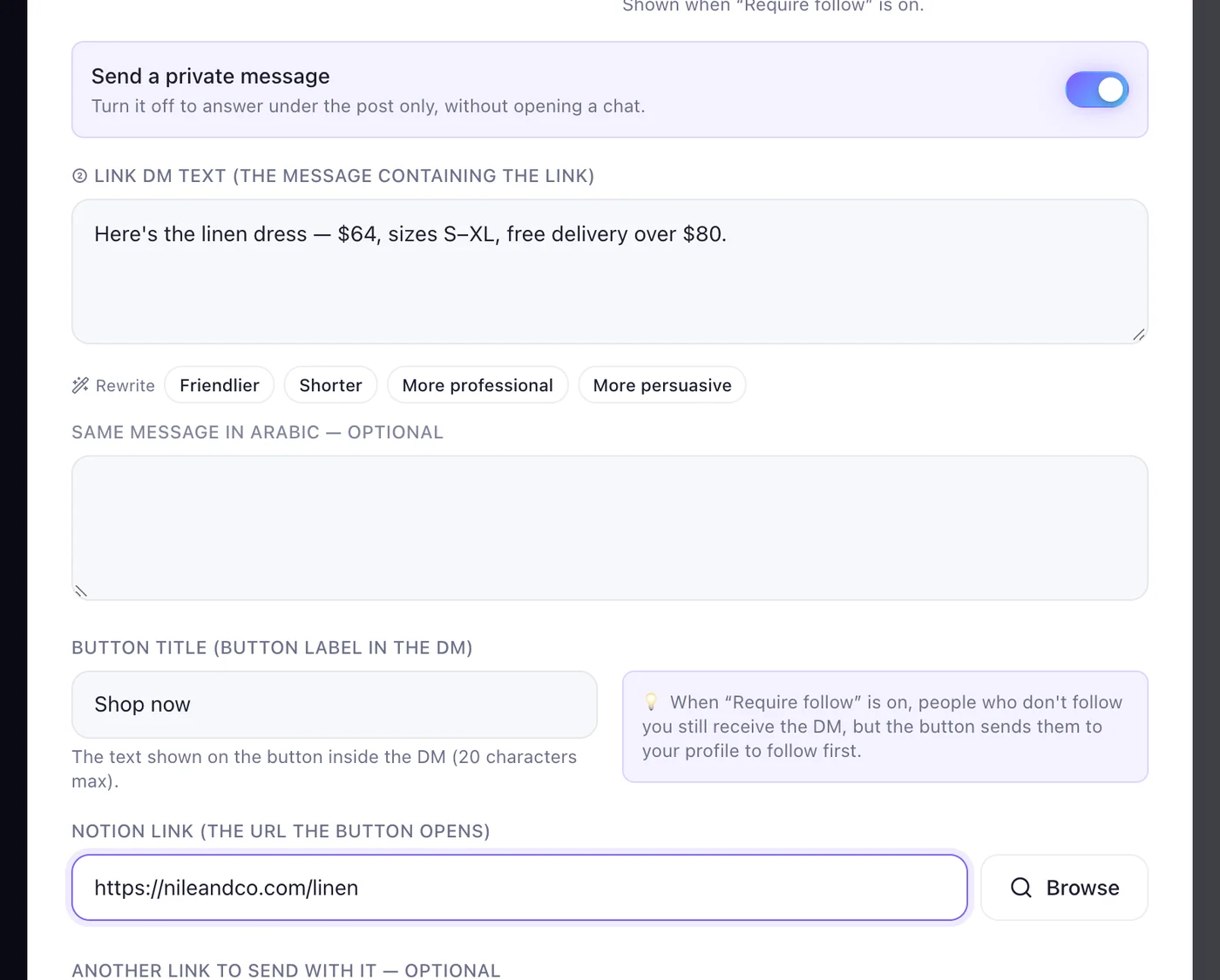
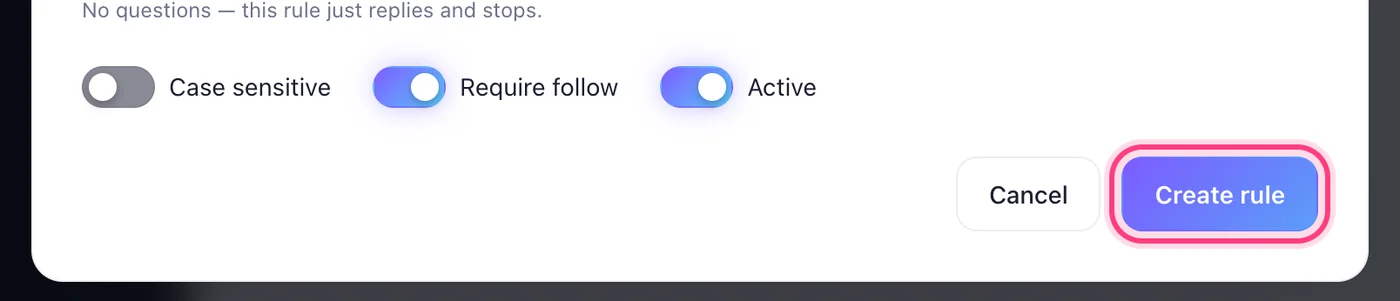
On Instagram, “Require follow” sends the link only to people who follow you — turn it off if everyone should get it. Keep “Active” on, then press “Create rule”.
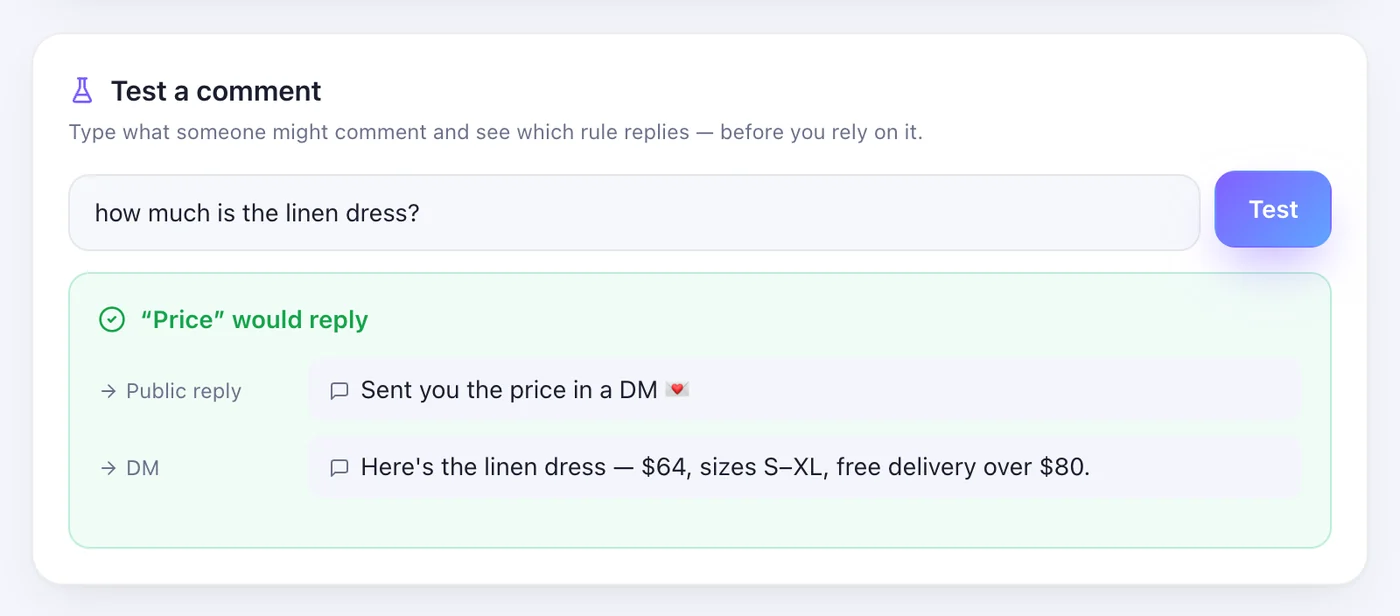
Under your rules, in “Test a comment”, type what a customer might write and press “Test”. You see which rule answers and exactly what it sends — nothing goes out to anyone.