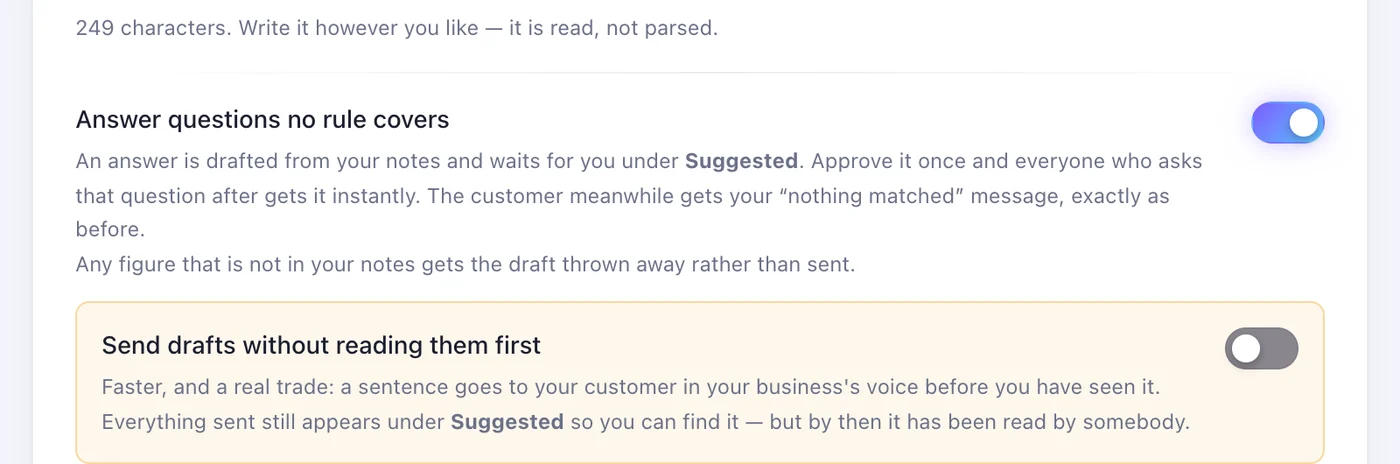
1Step 1
Open “AI & notes” and press “Answer the questions”
It's the second tab on the account's page. “Your notes” is everything the AI may say about your business — and the only thing it may draw from.
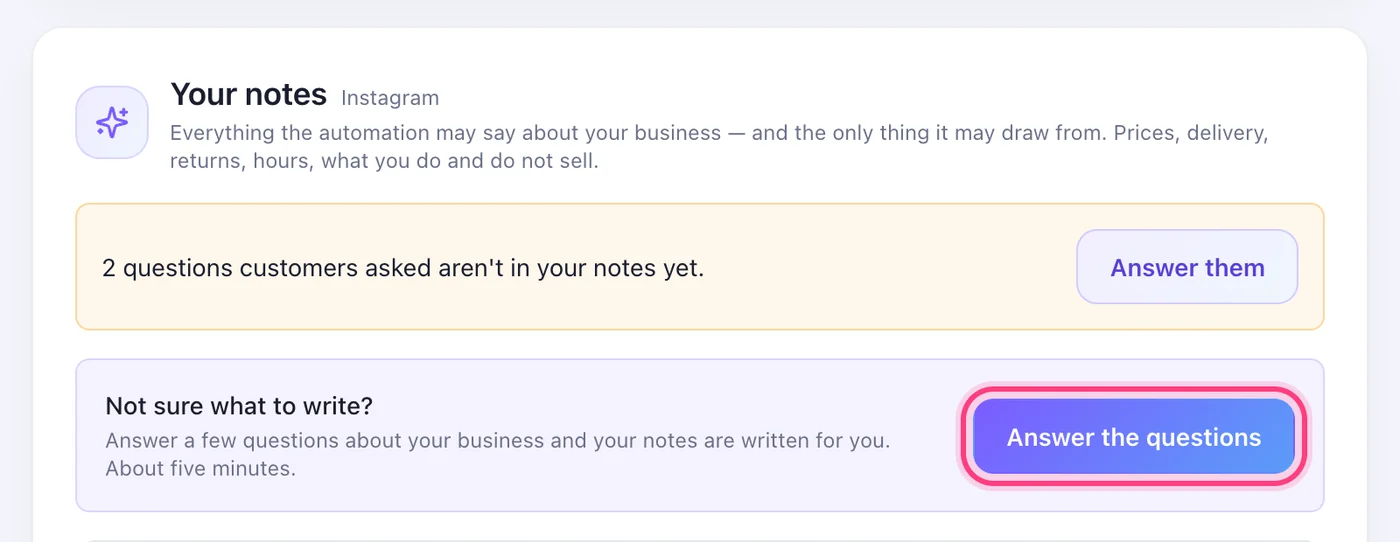
Answer a few questions; the AI answers your customers from what you wrote, and nothing else.
6 stepsIt's the second tab on the account's page. “Your notes” is everything the AI may say about your business — and the only thing it may draw from.
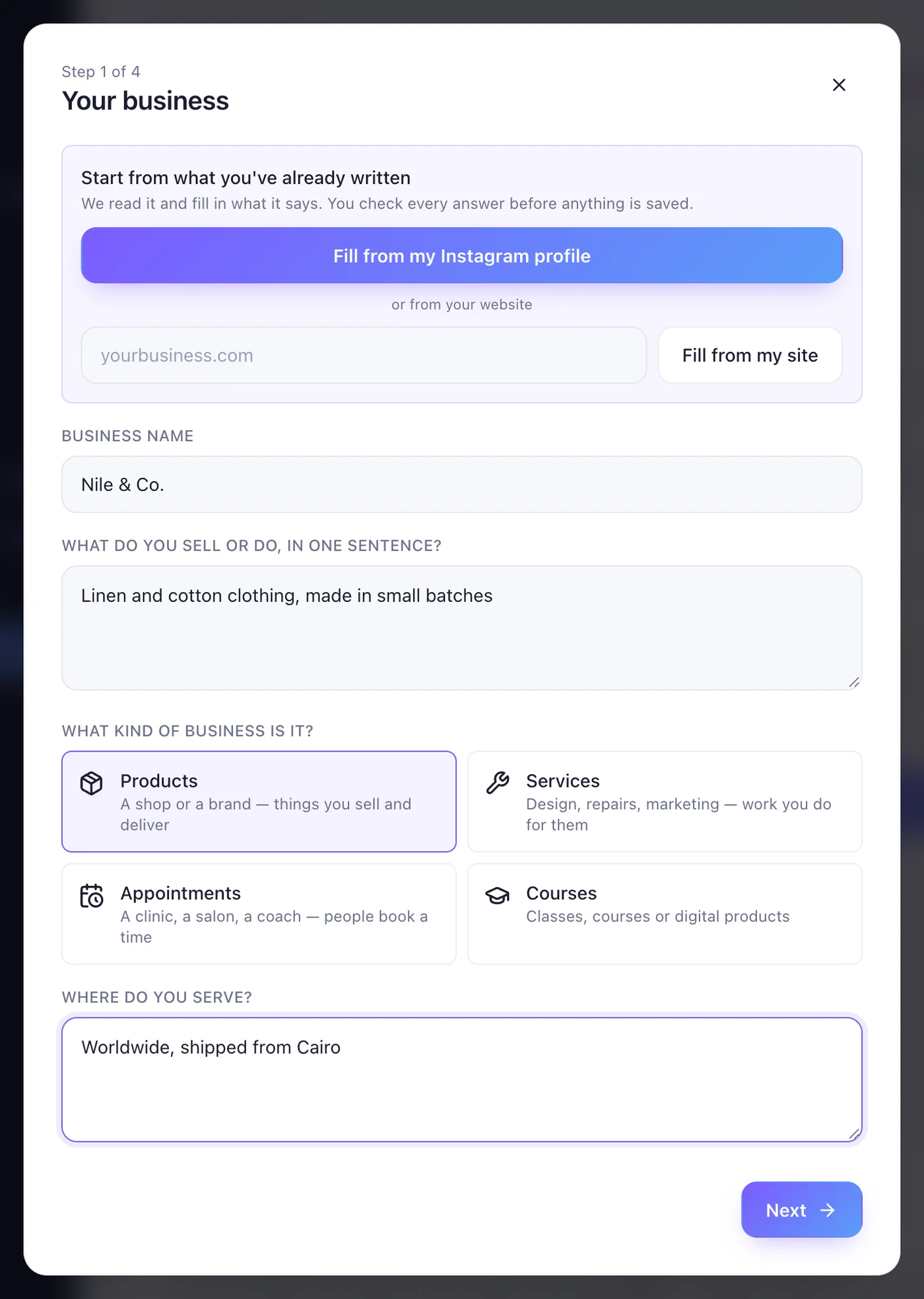
Fill it from your Instagram profile or your website, or type it yourself: the name, what you sell, what kind of business it is, where you serve. Then “Next”.
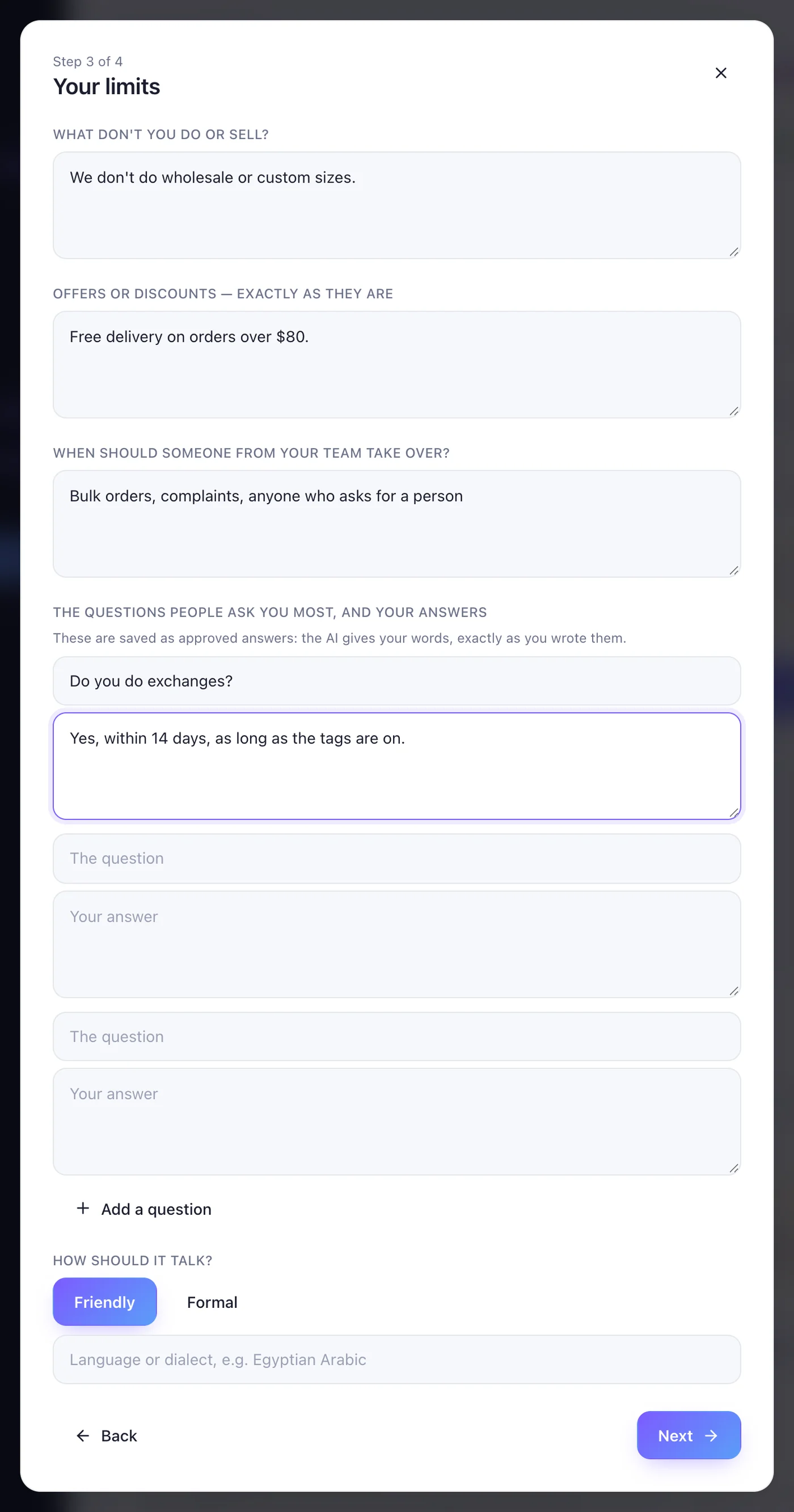
Your prices on the step before; here, what you don't do, your offers exactly as they are, when a person should take over, and the questions you get most with your own answers — those become approved answers, sent word for word.
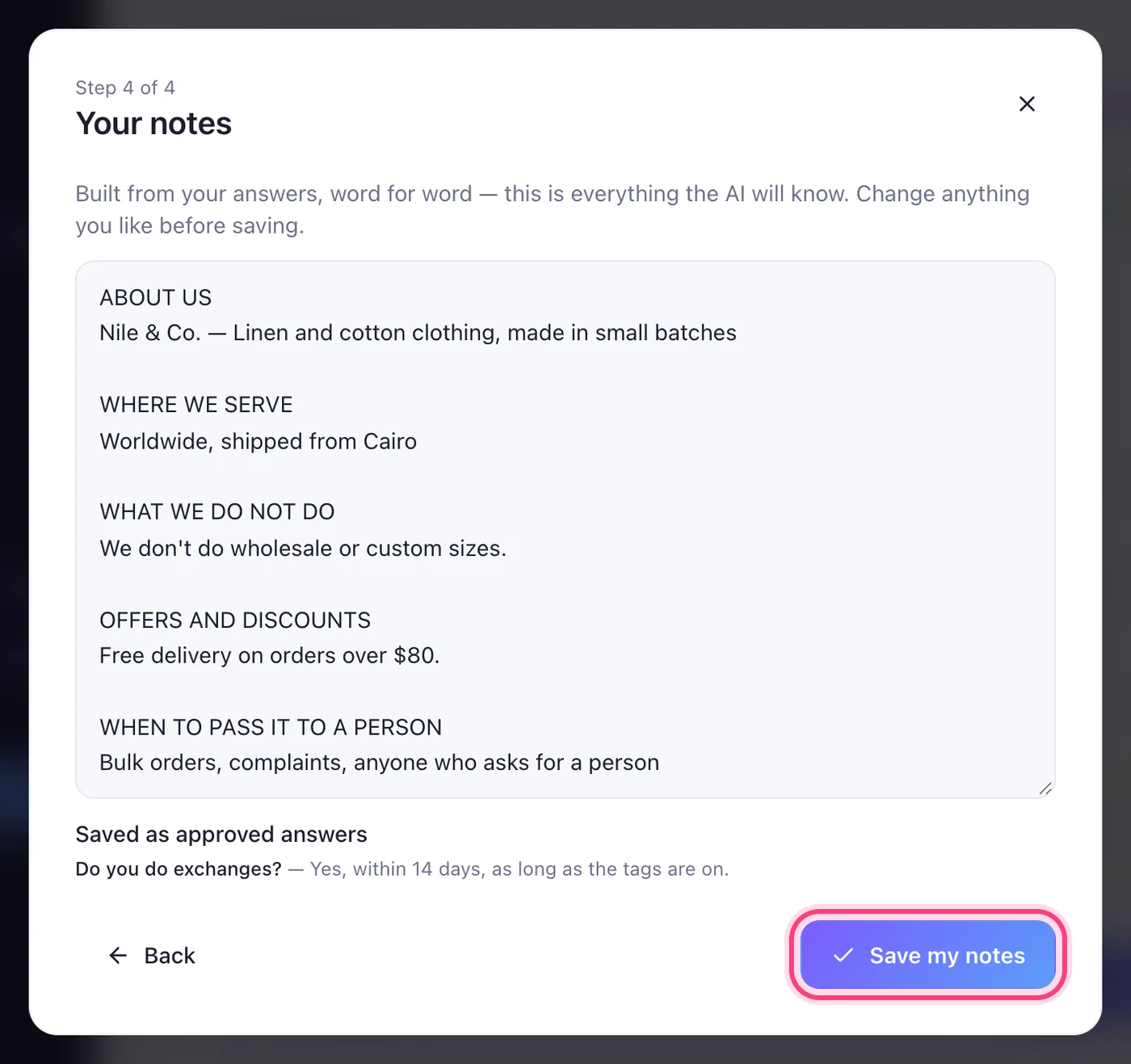
Your notes are built from your answers, word for word. Change anything you like, then save.
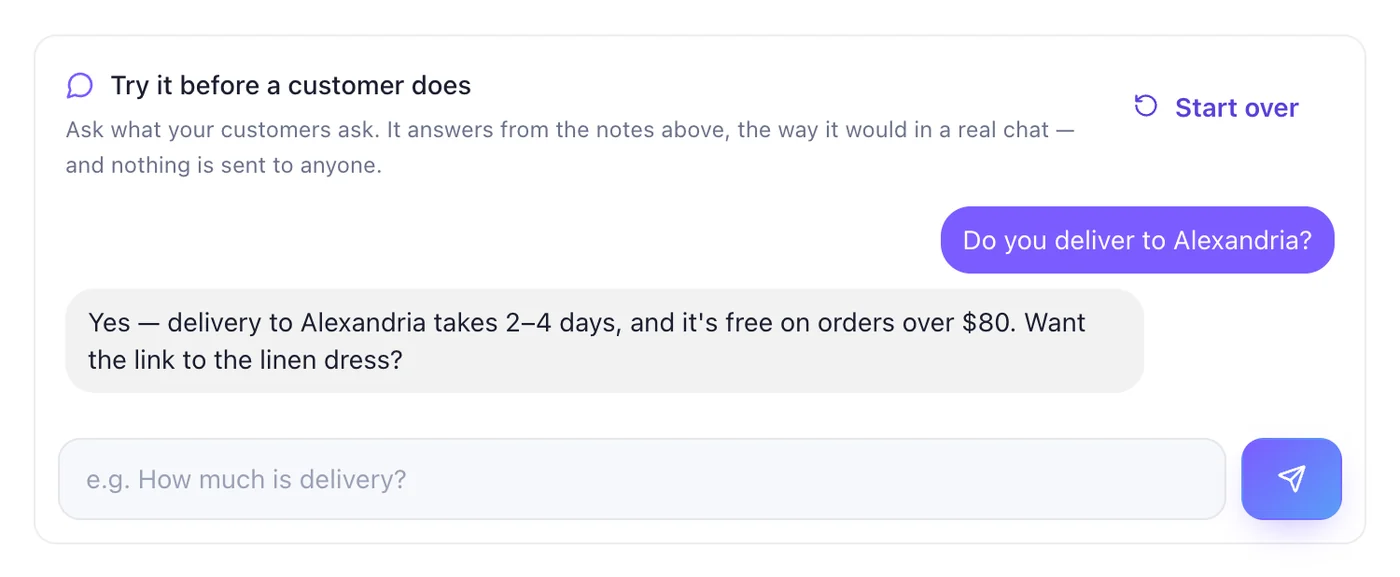
Ask it what your customers ask. It answers from your notes, exactly as it would in a real chat — and nothing is sent to anyone.
With “Answer questions no rule covers” on, an answer is drafted and waits for you under Suggested; approve it once and everyone who asks that after gets it instantly. “Send drafts without reading them first” sends them straight away.