
A keyword in a comment, and your reply under it — on one video or all of them.
Step 1
Open your TikTok account and press “New rule”
In Accounts, open the TikTok account. Rules is the first tab.
Step 2
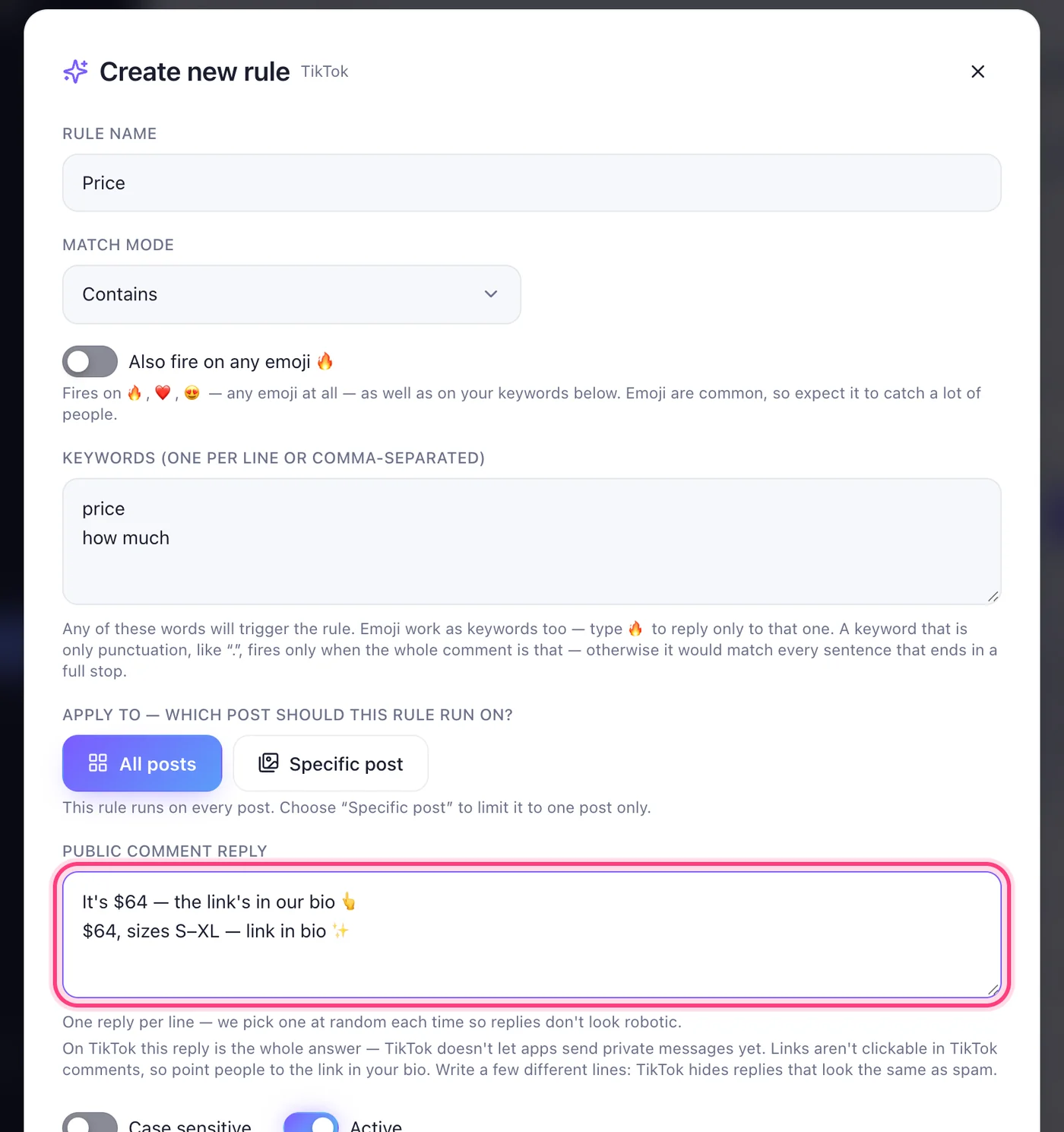
Write the keyword and the replies
Give the rule a name, type the words that trigger it, and under “Public comment reply” write a few different ways to say the answer, one per line — TikTok hides replies that repeat word for word. Links aren't clickable in TikTok comments, so point people to the link in your bio.
Step 3
Choose the video
Leave “All posts” to answer under every video, or press “Specific post” and pick one.
Step 4
Create it, then try it
Press “Create rule”. From another TikTok account, comment the word under one of your videos. Within a few minutes your reply appears under it, and both show in Activity.
Worth knowing
- Comments no rule covers can be answered by the AI from your notes: turn on “Reply to comments no rule covers” in the “AI & notes” tab.
- Missed some? In the account's TikTok settings tab, “Catch up on missed comments” answers what came in during the last seven days — even with a rule you wrote afterwards.
- Your own comments and replies are never answered.
Was this article helpful?