
So Bosta gets the right size and weight-priced couriers the real weight.
Step 1
Open Parcel sizes
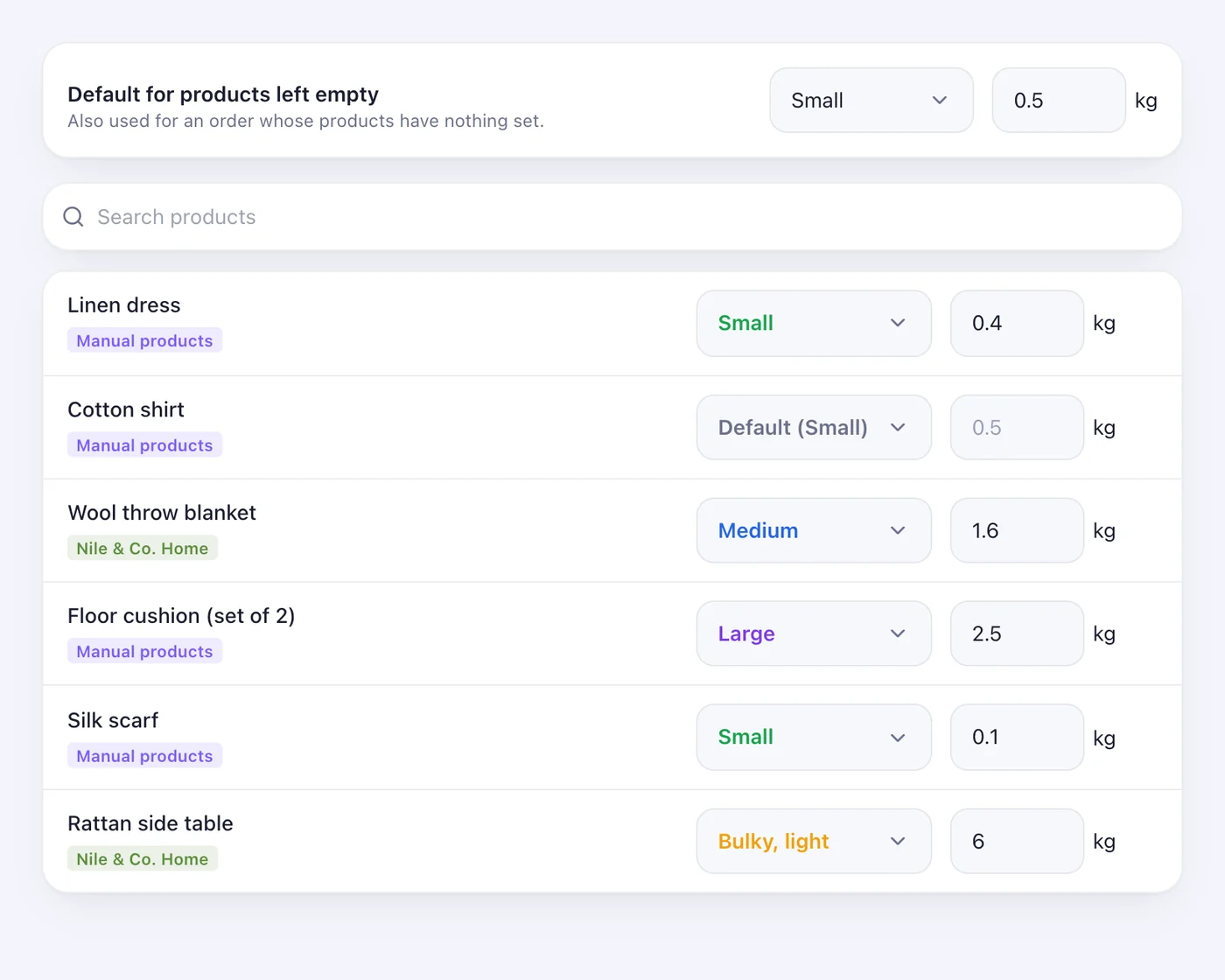
From the Store page or Shipping, open “Parcel sizes”. Every product from every store you sell from is listed, with a search box. Pick a size — Small, Medium, Large, Bulky light, Bulky heavy — and type a weight in kg. Each change saves by itself.
Step 2
The default
At the top, the default size and weight are used for any product left empty. Leave everything empty and orders ship exactly as before.
Step 3
How an order is measured
An order goes as its largest item's size, with the items' weights added up (times the quantity). Bosta gets the size; Aramex, FedEx, DHL and the others get the weight; ShipBlu gets its package size.
Worth knowing
- If Bosta refuses a size, the parcel goes as a small one, as before, and the order says so — shipping never stops over it.
- Shopify weights are typed here too: reading them from Shopify would need a new permission on your store.
Was this article helpful?