
Your products come in by themselves, and the order the chat takes is created in your Vondera dashboard.
Step 1
Copy your API key from Vondera
In Vondera: Store options → Other settings → API key. Copy it.
This step happens on another site, so it looks the way that site looks on the day.
Step 2
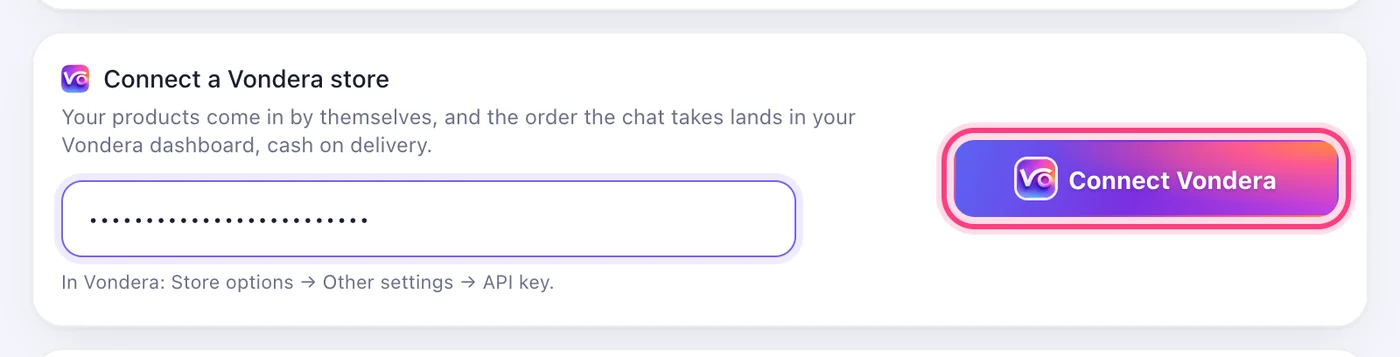
Paste it and press “Connect Vondera”
On the Store page, under “Connect a Vondera store”, paste the key. Your products are read in straight away.
Step 3
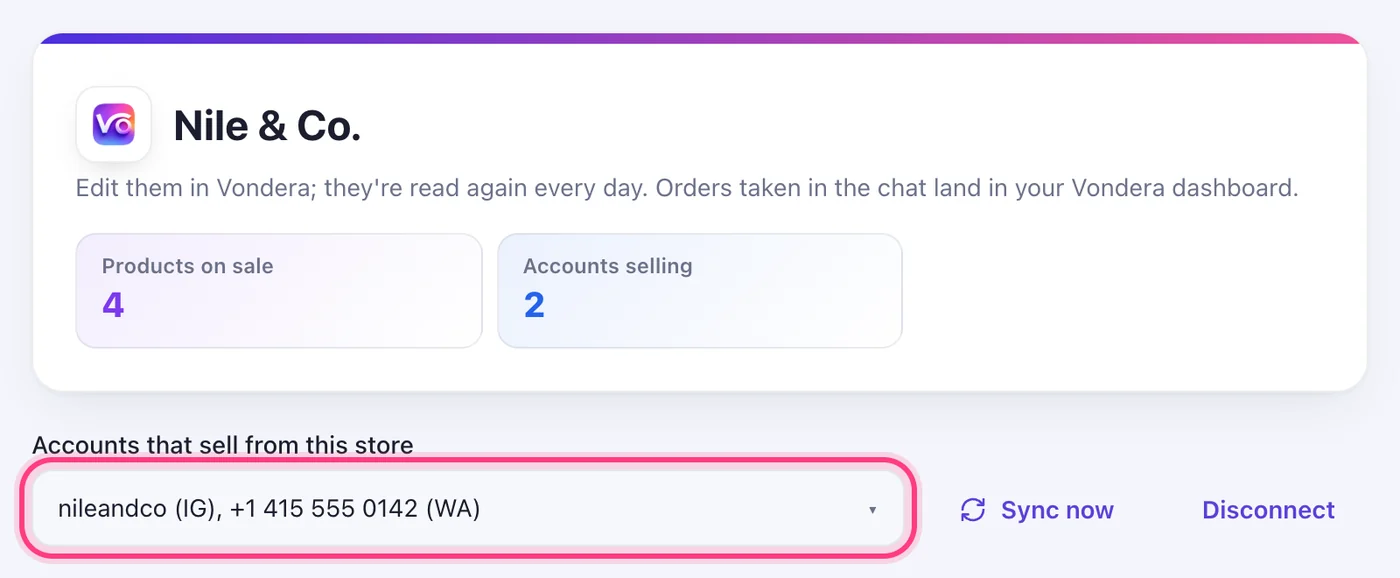
Tick the accounts that sell from it
Under “Accounts that sell from this store”, tick the pages and numbers that should sell. Edit your products in Vondera; they're read again every day, or now with “Sync now”.
Worth knowing
- A confirmed order is created in your Vondera dashboard, cash on delivery. If Vondera refuses one, it waits on your Orders page with Vondera's reason.
Was this article helpful?