
Start from a flow that already works, or redraw a rule you have on the canvas.
Step 1
Pick a ready-made flow
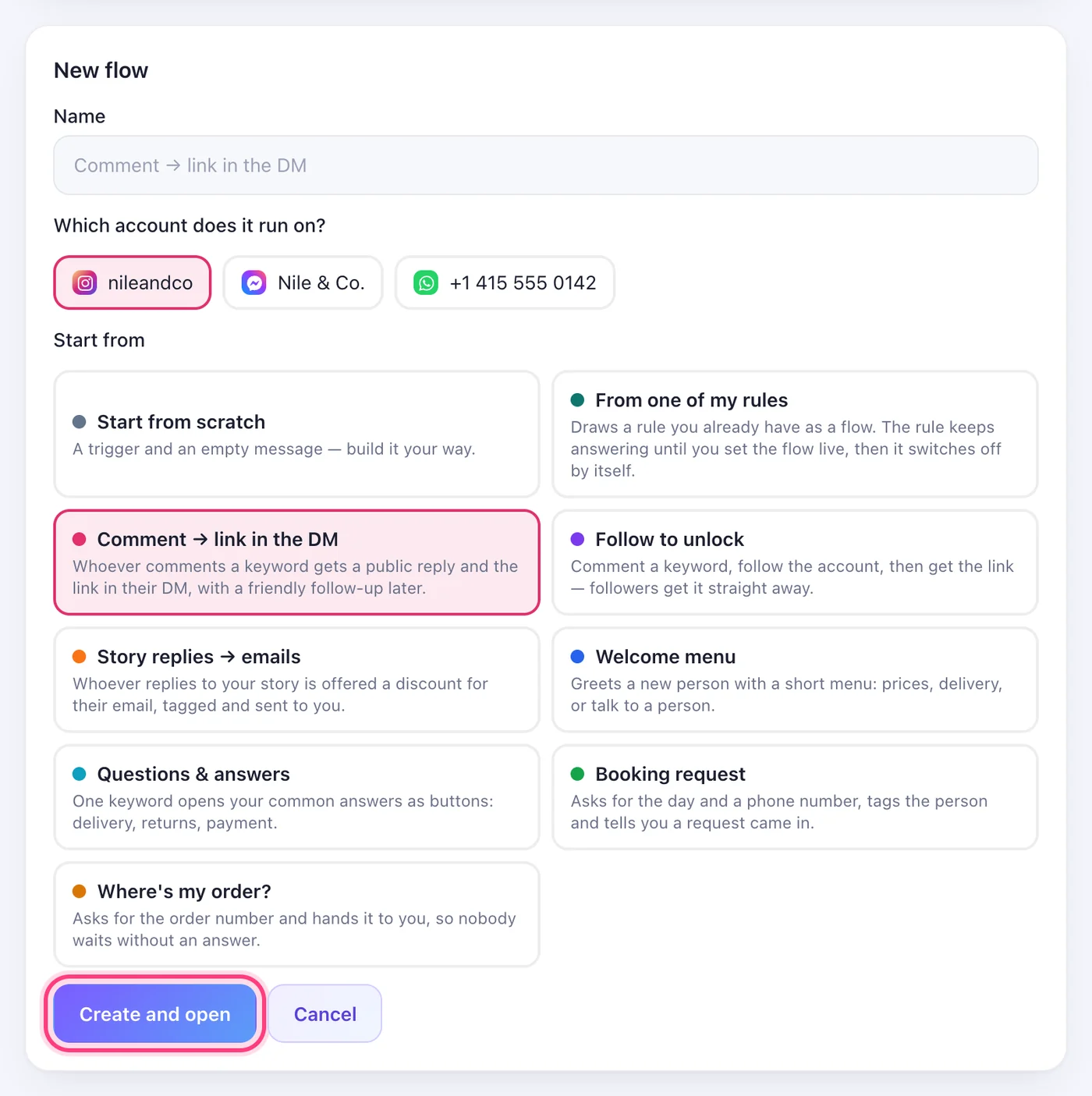
In “New flow”, under “Start from”, the ready-made flows that fit the chosen account are listed: comment → link in the DM, follow to unlock, story replies → emails, a welcome menu, questions & answers, a booking request and “Where's my order?”. They open in your language with buttons or quick replies, whichever the channel has. Only what you alone know is left empty — the link, your prices — and “Set Live” points at it.
Step 2
Or convert one of your rules
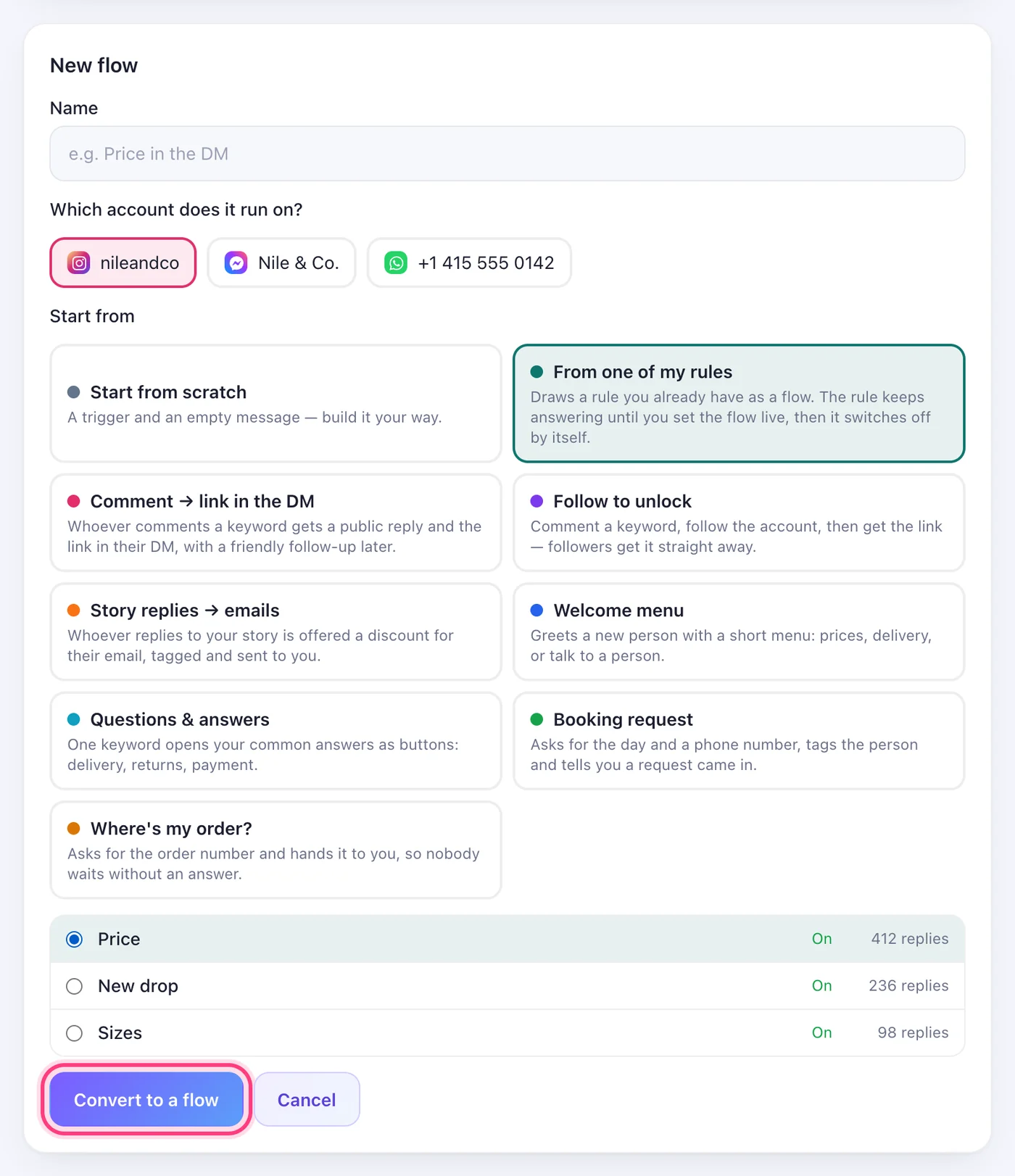
Choose “From one of my rules” and pick the rule. Its whole path is drawn: the trigger and public replies, the opening message and its button, the follow check with its “Following” loop, the reply and its link, extra links, and its questions with each choice's answer, tags and jumps. Anything a flow can't carry yet (the second-language reply, chat buttons) is listed before you open it.
Step 3
What happens to the rule
Nothing, until you set the flow live — the rule keeps answering while you look the flow over. The moment the flow goes live, the rule switches itself off so nobody gets two replies. To go back, pause the flow and switch the rule on again.
Was this article helpful?