
Draw a conversation step by step — each button leads where you want — and set it live.
Step 1
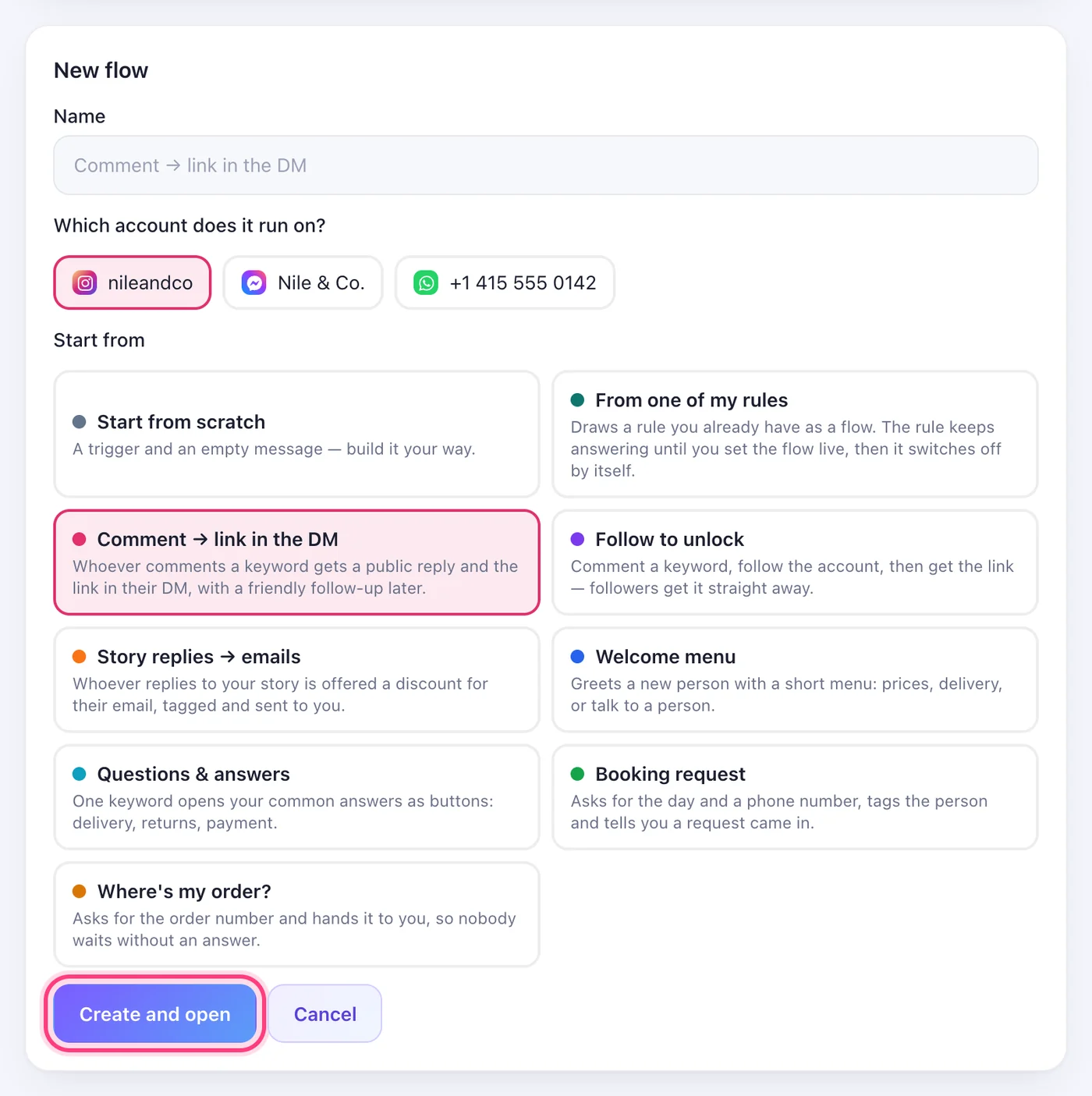
Open Flows and press “New flow”
Flows is in the menu. Give the flow a name (only you see it), choose the account it runs on, and pick where to start: “Start from scratch”, one of the ready-made flows, or one of your rules. Then press “Create and open”.
Step 2
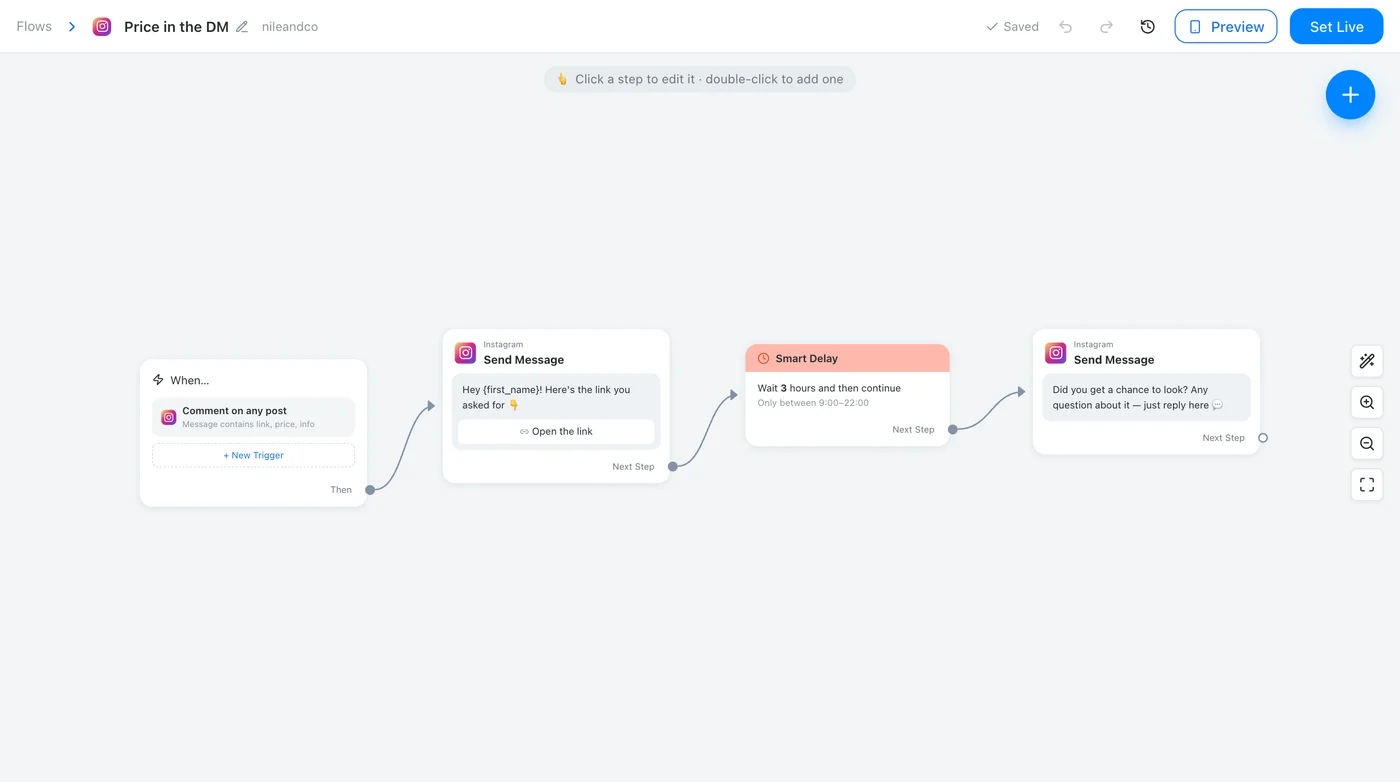
The canvas
Every box is a step and every line is what comes next. The first box, “When…”, is what starts the flow; the others are what it sends and does. Drag the canvas to move around, scroll or use the buttons on the right to zoom, and “Tidy up” lines everything up in columns.
Step 3
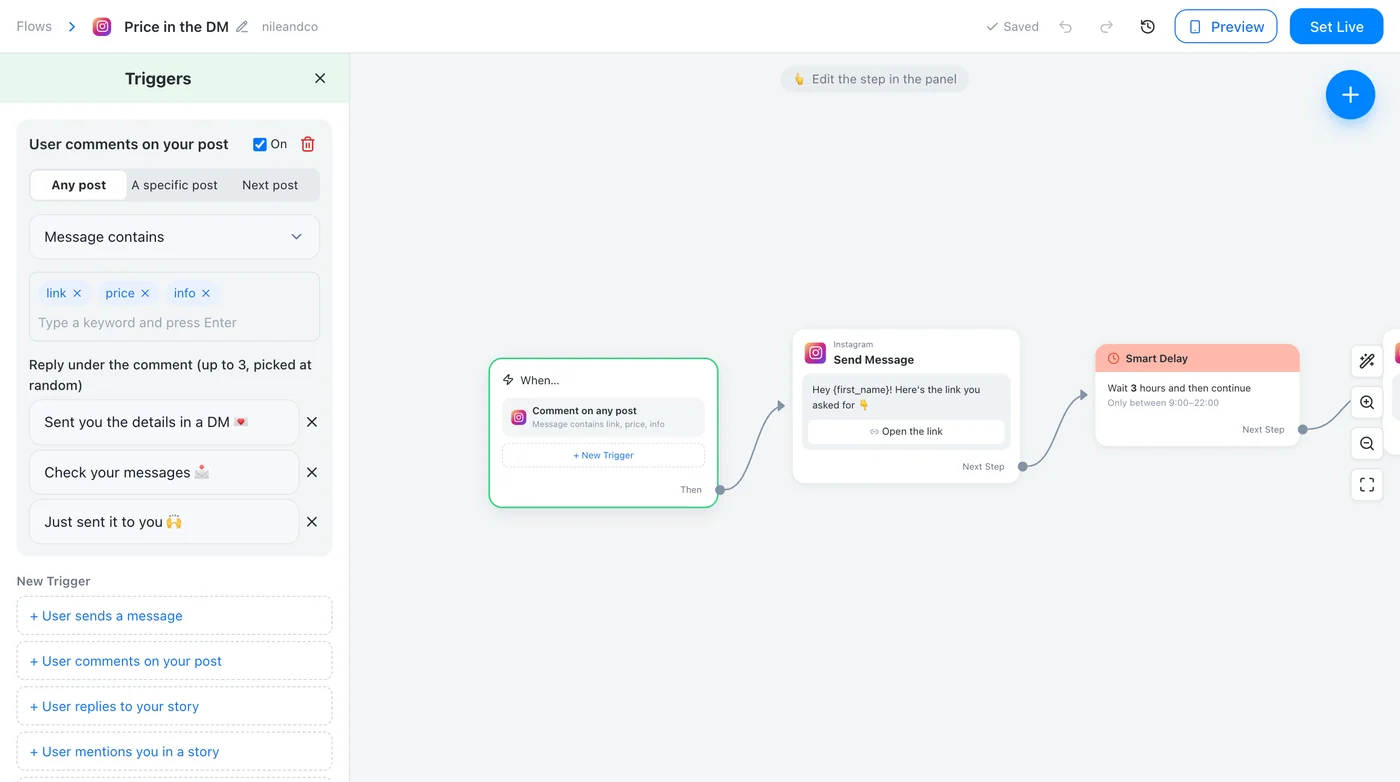
Choose what starts it
Click “When…” and press “New Trigger”: a message with your keywords, a comment on any post, one post or the next post you publish, a reply to your story, or the first message someone ever sends. For comments, write up to three public replies — one is picked at random each time.
Step 4
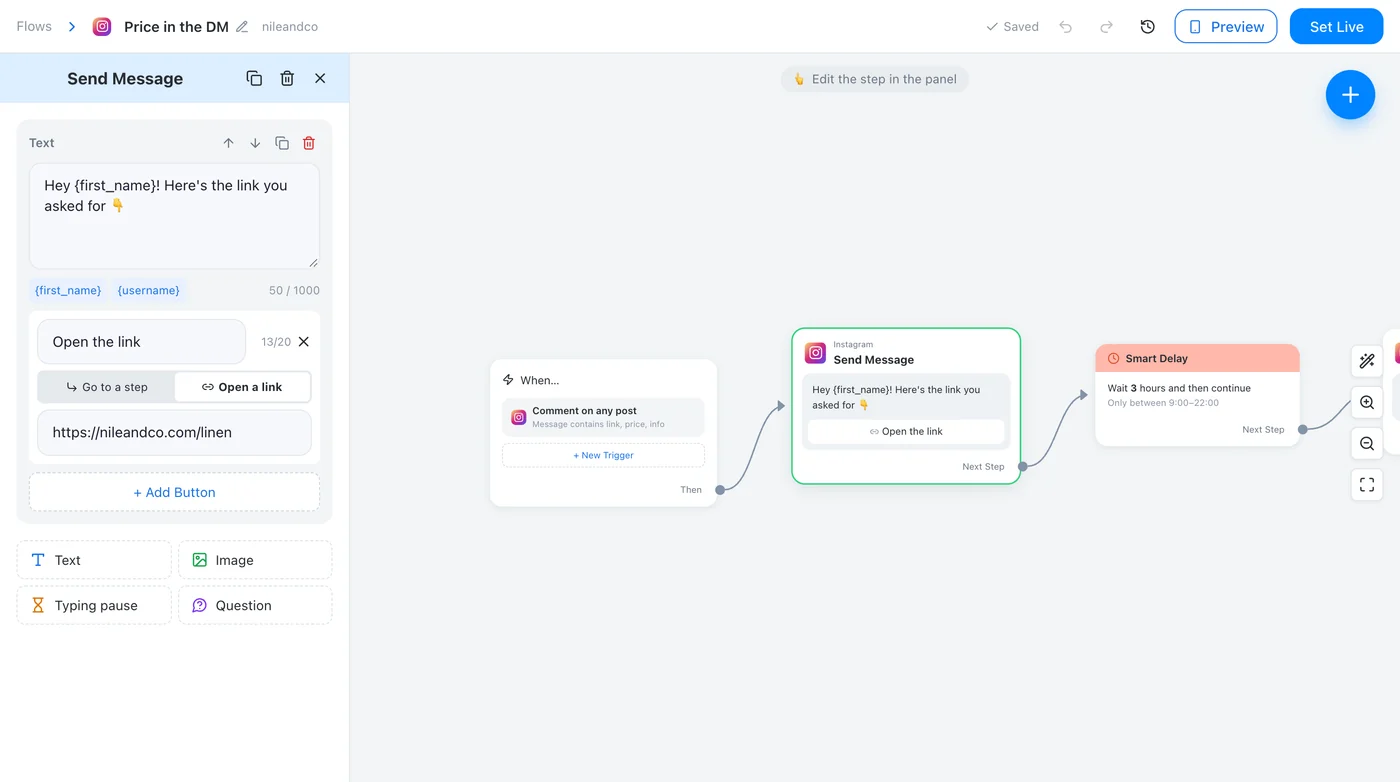
Write the message and its buttons
Click a “Send Message” box. Add a text, a picture, a typing pause or a question, and under a text press “Add Button”. A button either opens a link or leads to another step: drag from the button's dot to the box it should open. “Next Step” at the bottom is what follows when nobody taps anything.
Step 5
Add the next steps
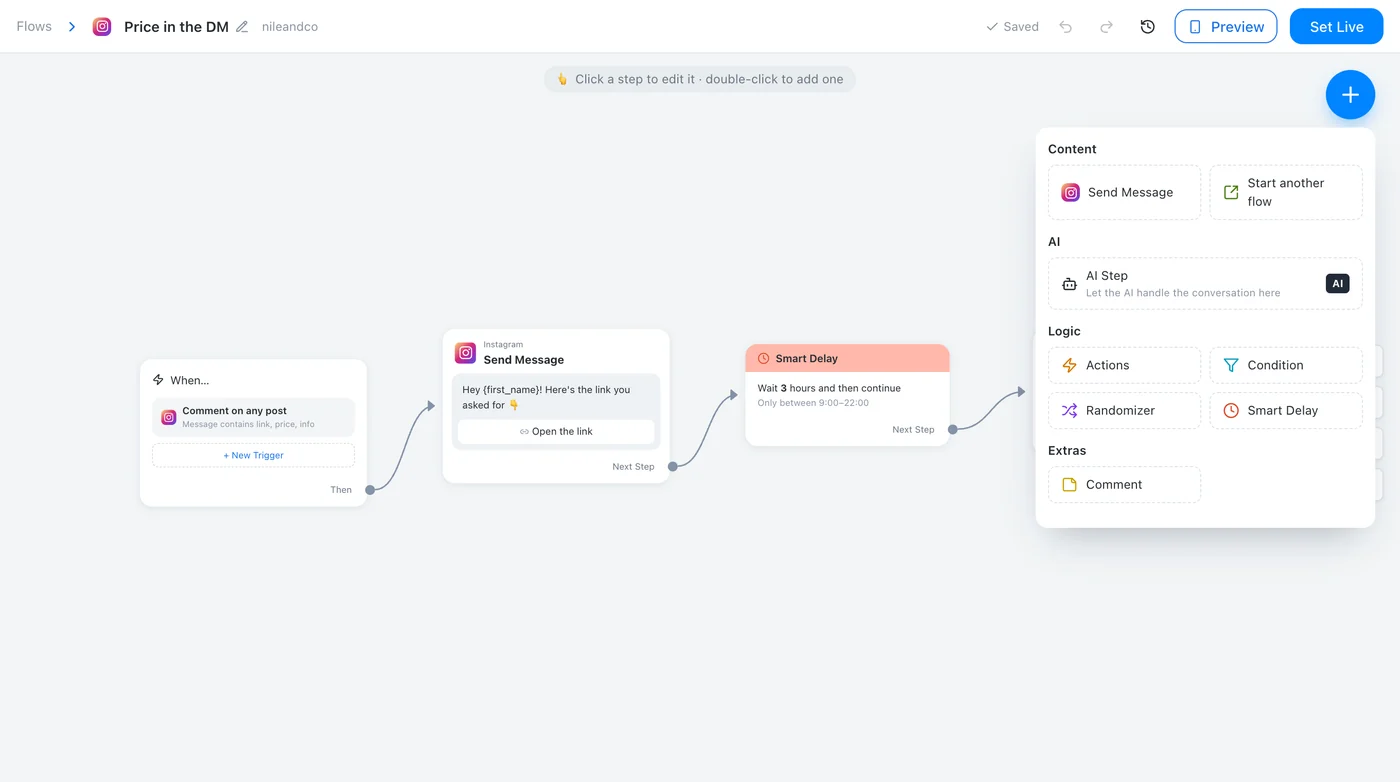
Press the blue + (or double-click the canvas, or drop a line on an empty spot) and choose the step: a message, actions such as a tag or a note to you, a condition, a random split, a smart delay, another flow, or an AI step.
Step 6
Try it in the preview
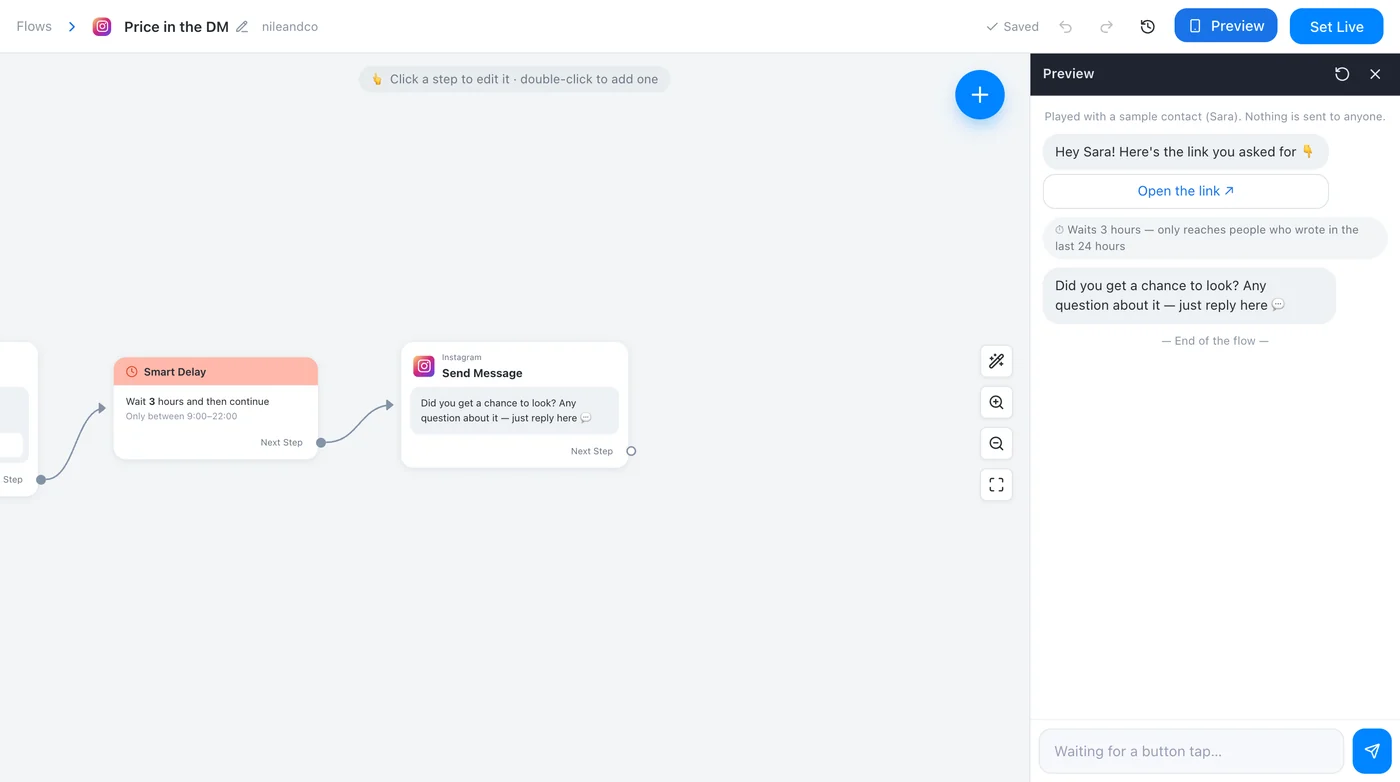
“Preview” plays the flow on a phone with a sample contact, Sara. Tap the buttons and answer the questions as a customer would; the canvas follows the step being played. Nothing is sent to anyone.
Step 7
Set it live
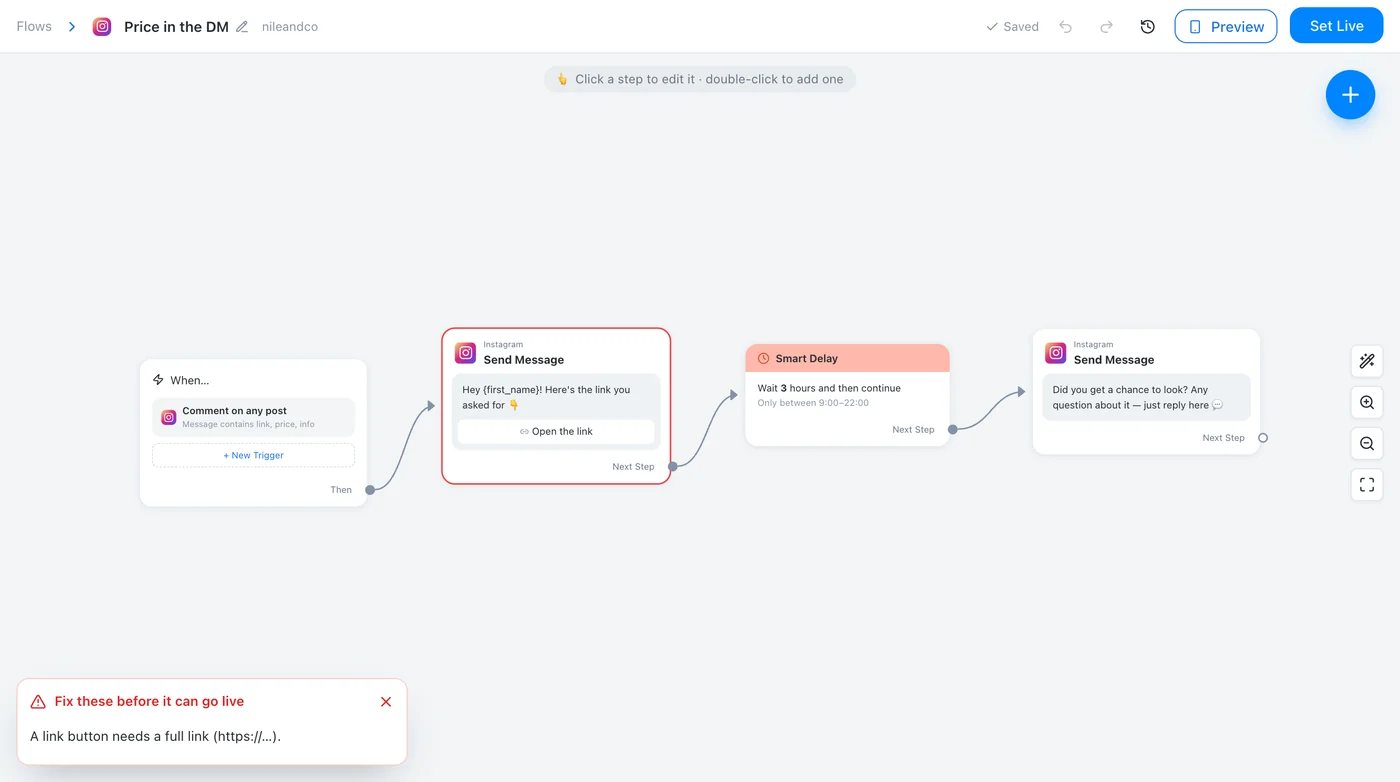
Press “Set Live”. If something would break — an empty text, a button that leads nowhere, a link without https:// — a list says what and where; click a line to jump to that box. Once live, changes are saved as a draft until you press “Update”, “Published versions” brings back an older one, and “Running” pauses the whole flow.
Worth knowing
- A flow answers before your rules: when a flow and a rule share a keyword, the flow replies and the rule stays quiet.
- Instagram, Messenger and WhatsApp only allow messages within 24 hours of the person's last message. A step that comes later is skipped, and the activity log says why.
- If someone in the conversation has asked for a person and your team has taken over, the flow leaves that chat alone.
Was this article helpful?