
Your own FedEx account for paid orders going abroad: booked at your rates, label one click away.
Step 1
Press “Connect FedEx”
It's on the Store page, in its own row. Only the workspace's owner can connect a courier.

Step 2
Create your keys at FedEx Developer
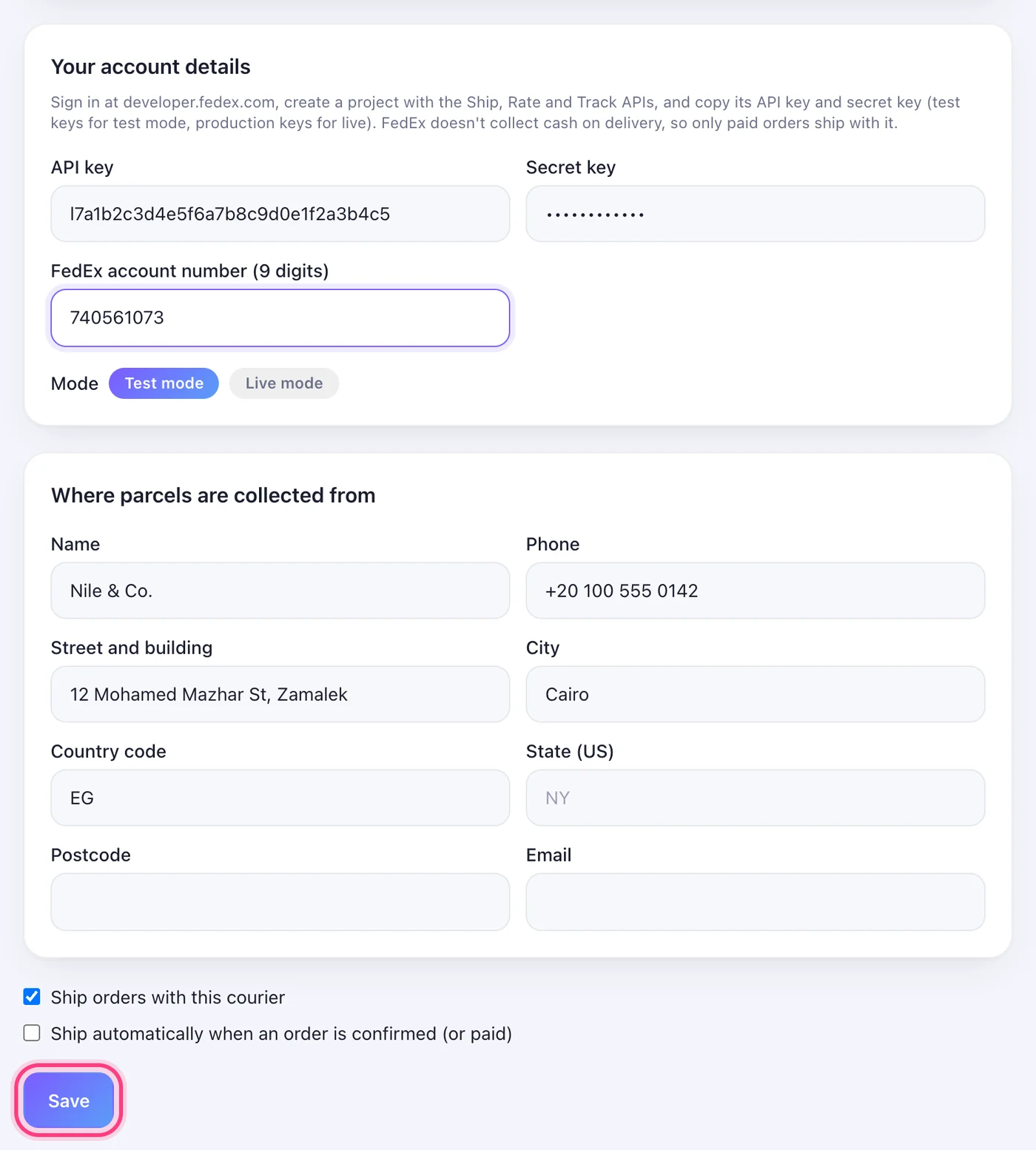
Sign in at developer.fedex.com with your FedEx account, create a project with the Ship, Rate and Track APIs, and copy its API key and secret key — test keys for Test mode, production keys for Live mode. Have your 9-digit FedEx account number ready too.
Step 3
Fill them in and Save
Paste the API key and the secret key, and write your FedEx account number. Then your pickup address. Start in Test mode, then switch to Live mode when a test parcel looks right. Tick “Ship orders with this courier” so the Ship button uses FedEx. The details are checked with FedEx before anything is saved.
Step 4
Ship an order
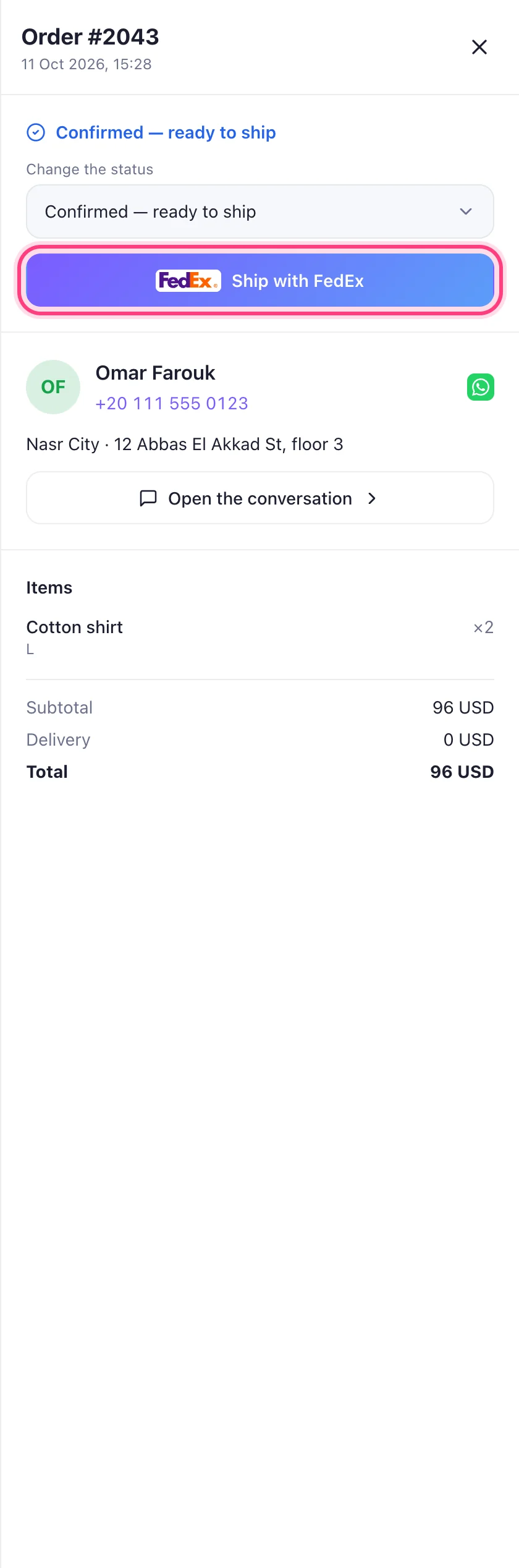
Open the order on your Orders page and press “Ship with FedEx” — on a paid order. The tracking number appears on the order, the label is one click away, and the customer is told in the chat.
Worth knowing
- FedEx doesn't collect cash on delivery, so only paid orders ship with it.
- Where the parcel is gets checked once a day and shown on the order. The customer's shipped message never names the courier.
Was this article helpful?