
Who answers which chat, handovers shared out in turn, and what an agent sees.
Step 1
Assign from the inbox
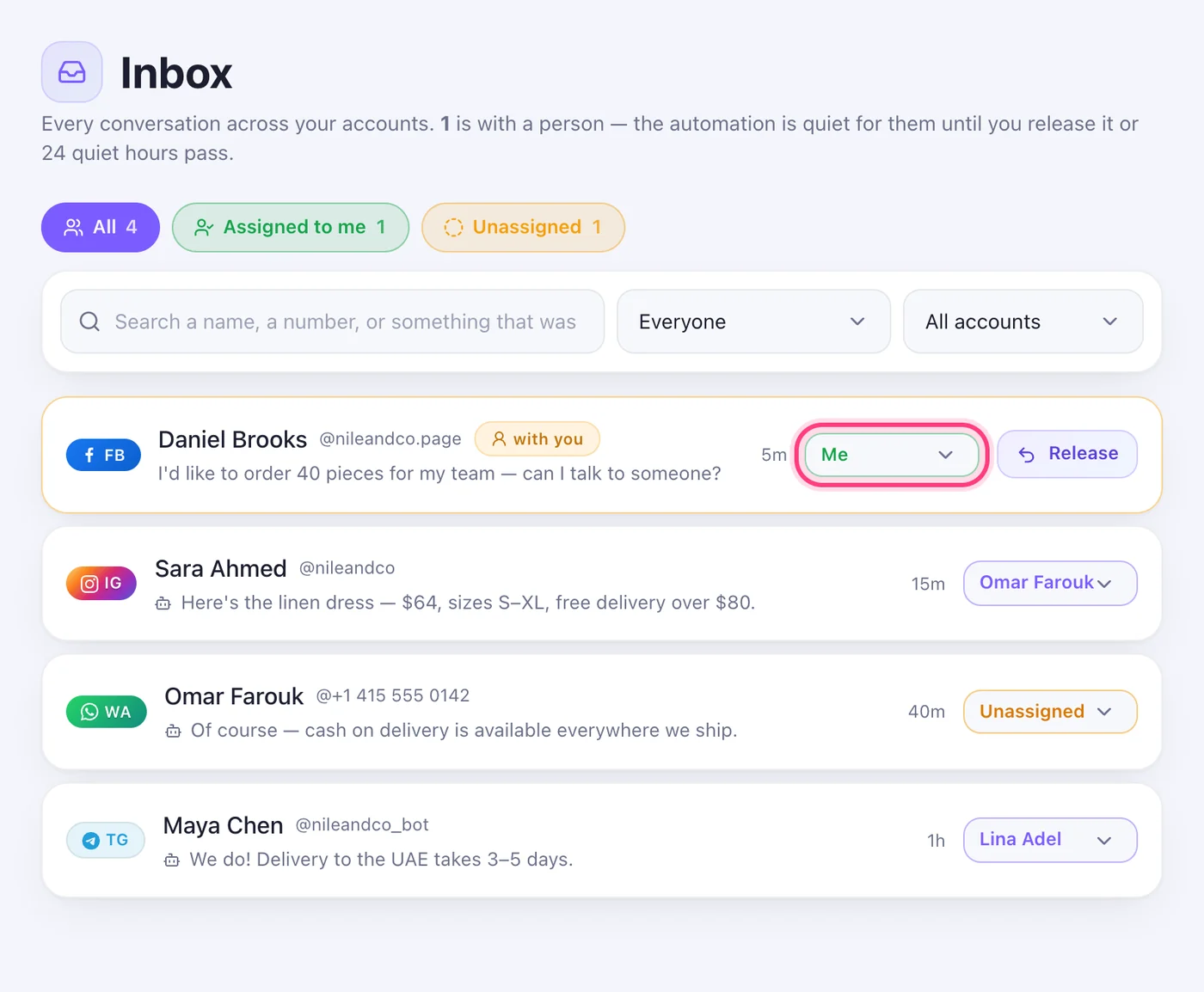
Once you have a team, every conversation in the Inbox has a picker on its row: choose a person, “Me” or “Unassigned”. The folders above the list — “All”, “Assigned to me”, “Unassigned” — show what's whose.
Step 2
Handovers go round the team
When a customer asks for a person, the conversation goes to the next team member in turn, and only they are told by email. With no team it stays unassigned and everyone hears, as before.
Step 3
What an agent sees
An agent sees their own conversations and the unassigned ones — in the Inbox, the email inbox, the dashboard and Activity — never a colleague's. They can take an unassigned one or give theirs back. The owner and managers see everything and can assign anyone.
Step 4
Assign from a flow
In a flow's Actions box, “Assign the conversation” gives it to a chosen person or to whoever's turn it is. The flow carries on after it.
Worth knowing
- Being assigned a conversation by someone else sends you an email, under the same switch as handovers in Settings.
Was this article helpful?