
How a plan is paid for, what counts as a contact, what happens past your allowance, and how renewal works.
Step 1
Choose a plan
Open Billing, pick Monthly or Annual, and press the plan's button — “Choose Pro”, for example. The next page lists what you're buying, with the AI as a tick you can add or remove, before anything is charged. Your first plan runs 14 days longer, once per person. A bigger plan replaces the one you're on from the day you pay.
Step 2
Pay in dollars or in pounds
Outside Egypt, prices are in US dollars and you pay by Visa / Mastercard; tax for your country can be added at checkout. In Egypt they're in Egyptian pounds, by Visa / Mastercard or InstaPay. Wrong currency? Press “Paying from Egypt?” or “Paying from outside Egypt?” on Billing. With InstaPay, transfer the exact amount with the reference in the transfer note; the plan starts when the transfer arrives, usually within a few hours.
Step 3
What counts as a contact
A contact is a person the app answered this month, counted once however many comments and messages they send. Nobody counts until the app's own words reach them: a chat your team answers by hand, a message nothing was set up to answer, or a reply that failed costs nothing. “Contacts this month” on Billing shows where you are. Months count from the day your plan started — on an annual plan too.
Step 4
Busy month? It keeps answering
Under “When you pass your plan”, choose what happens past your allowance: “Keep answering everyone — no ceiling”, a number of extra people, or “Stop at my plan — new people wait until I upgrade or the month renews”. Extra people are billed at your plan's rate after the month closes, to the card saved for automatic renewal; without that card, new people wait at the limit. People already answered this month never wait and never cost more. Moving up a plan before the month closes drops that month's extra.
Step 5
Renewal
“Automatic renewal” is off until you turn it on. Pay by card, choose “remember this card”, then switch on “Automatic renewal” on Billing or in Settings → Your plan. It charges the same plan at its current price; if a charge fails we email you and try again, up to three times. Left off, we remind you three days before your plan ends, and you renew by paying again.
Step 6
Cancel, or let it end
Press “Cancel subscription”, then “Yes, cancel at period end”: everything keeps working until the date you paid up to, and “Keep my plan” undoes it. When a plan ends it stops answering and nothing else changes: you stay on your plan, your accounts stay connected, every rule and conversation stays where it is. “Renew your plan” starts it again straight away.
Step 7
Extra team seats
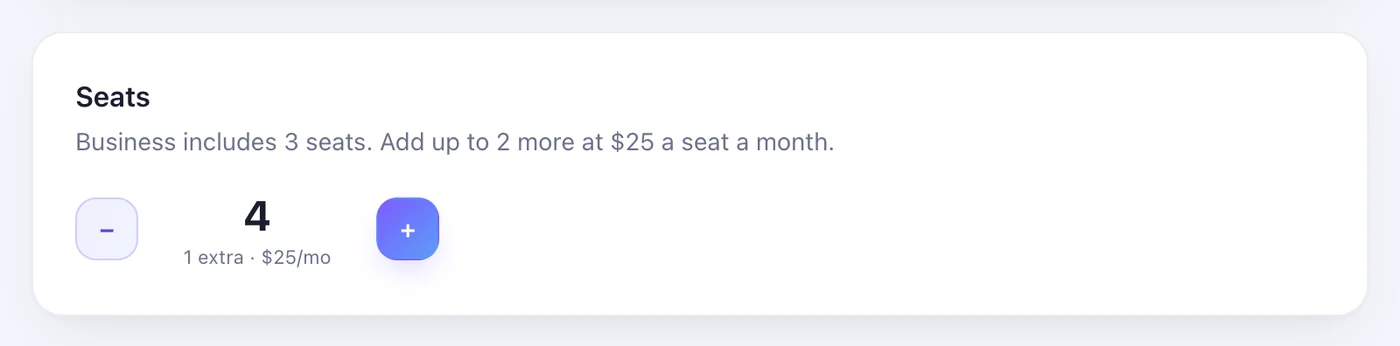
Pro and above come with seats for your team. Add more with the + under Seats on the Team page; each extra seat is $25 (1,250 EGP) a month, charged to the card saved for automatic renewal together with the month's extra contacts.
Worth knowing
- The Free plan's 25 people come once per person — recognised by your email and by the Facebook account you connect — not every month.
- Extra people cost less on bigger plans: $0.10 each on Essential, $0.05 on Pro, $0.025 on Business, $0.004 on Advanced (a little less on annual).
- A total under $1 (50 EGP) waits and joins the next bill. If a charge for extras fails, extra contacts and extra seats are switched off — turn them back on in Billing and Team once the card works.
- Every payment is in “Payment history” on Billing, and a receipt is emailed to you.
Was this article helpful?