
Every chat in one inbox, a reply from wherever you are, and orders booked with your courier in one tap.
Step 1
The inbox
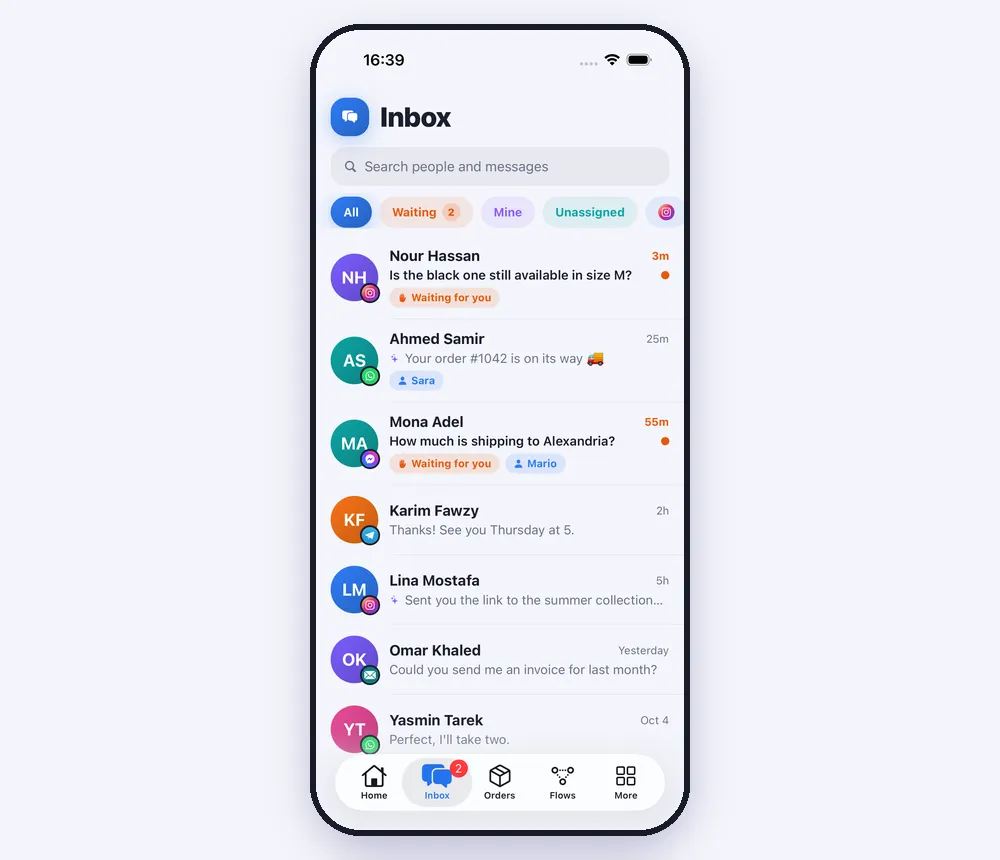
“Inbox” holds every chat from Instagram, Messenger, WhatsApp, Telegram and email. The tabs along the top narrow it: “Waiting” (people who asked for a person), “Mine” (chats assigned to you), “Unassigned”, and one per channel. Swipe a chat to take it (“Mine”) or hand it back to the AI (“To the AI”).
Step 2
Open a chat and answer
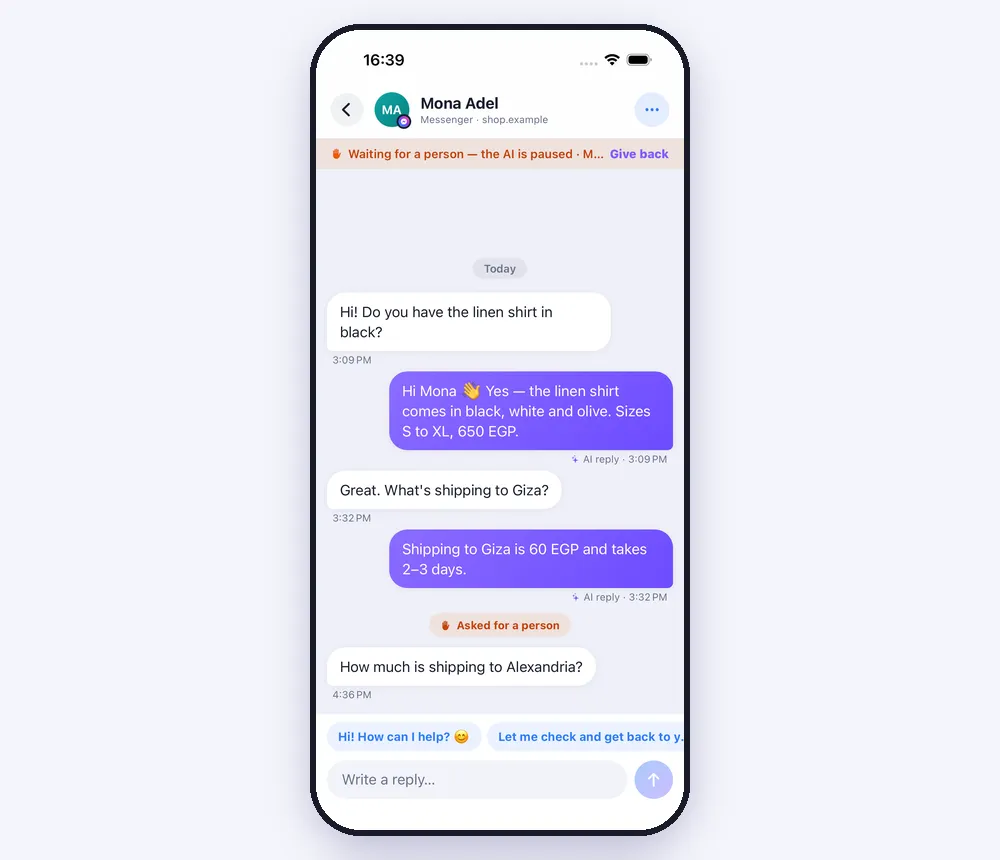
Everything the AI already said is in the thread, marked “AI reply”. Write under it and send — or tap one of your quick replies above the box; anything you type often can be kept with “Save as a quick reply”. When you're done, “Give back” at the top hands the chat back to the AI.
Step 3
Orders
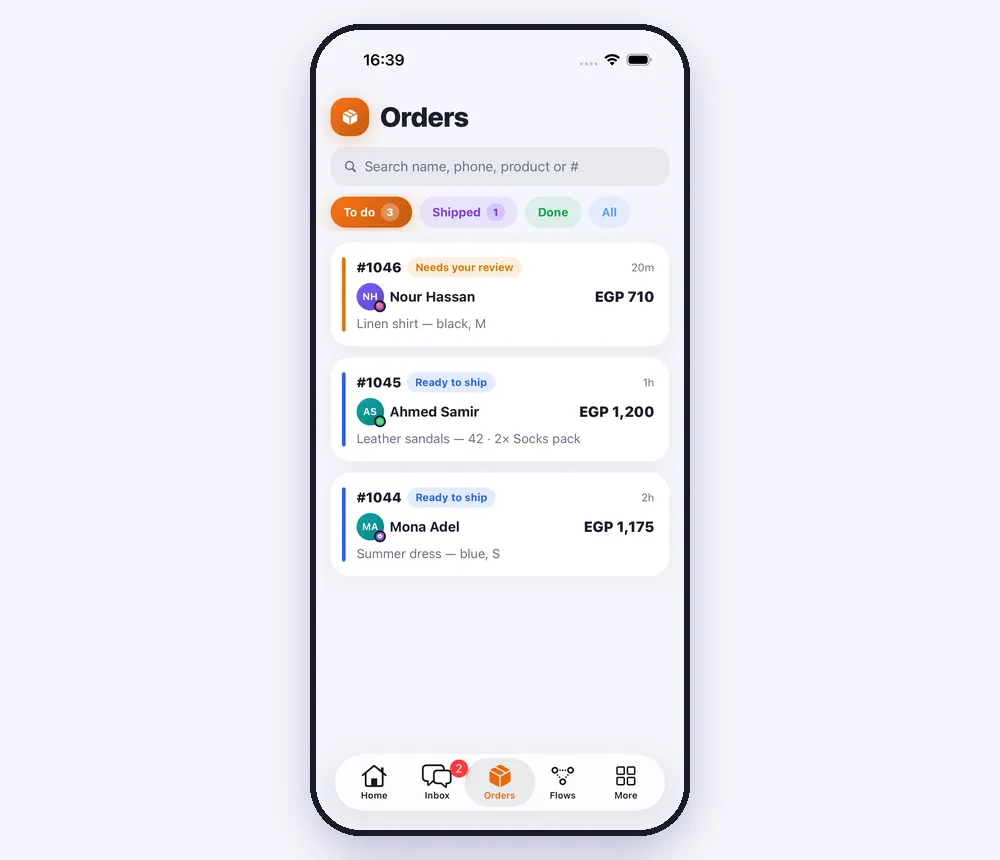
Orders taken in the chat land in “Orders”: “To do” for the ones that need you, then “Shipped” and “Done”. An order the AI wasn't sure about says “Needs your review”.
Step 4
One order
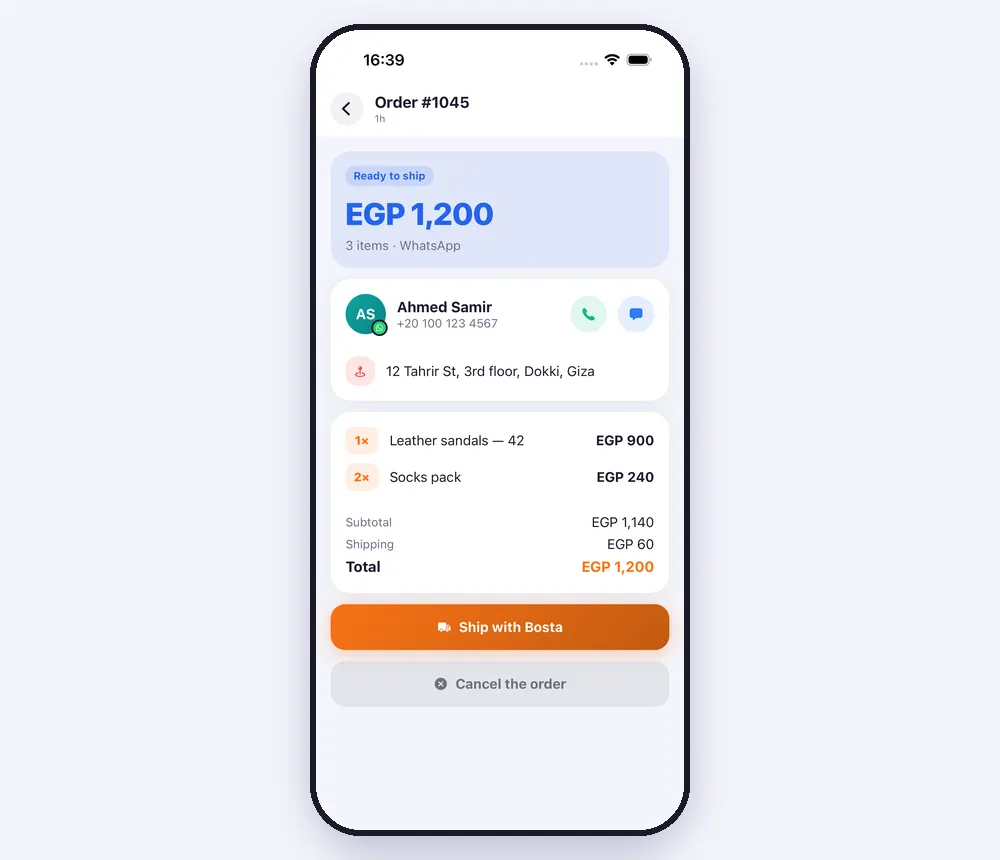
Open an order to see what was bought, the address and the total. Call or message the customer from the two round buttons, book your courier with the big button — the customer gets the tracking number — and later mark it “Mark as delivered”.
Worth knowing
- Your team sees the same inbox; someone with the customer service role sees the chats assigned to them and the ones nobody has taken.
- On Instagram, Messenger and WhatsApp you can reply within 24 hours of the customer's last message.
Was this article helpful?