
Each step is one reason the AI stays quiet, where you see it, and what to do.
Speedy Text AI isn't on your plan
On the account's “AI & notes” tab, a box says these answers come with Speedy Text AI, with a button that takes you to Billing. The AI is added on top of a paid plan, and it stops when the plan or the add-on ends.
Its switch is off on this account
Each account has its own switches on “AI & notes”: “Answer questions no rule covers” for messages, and “Reply to comments no rule covers” for comments on Instagram and Facebook. Turn on the ones you want.
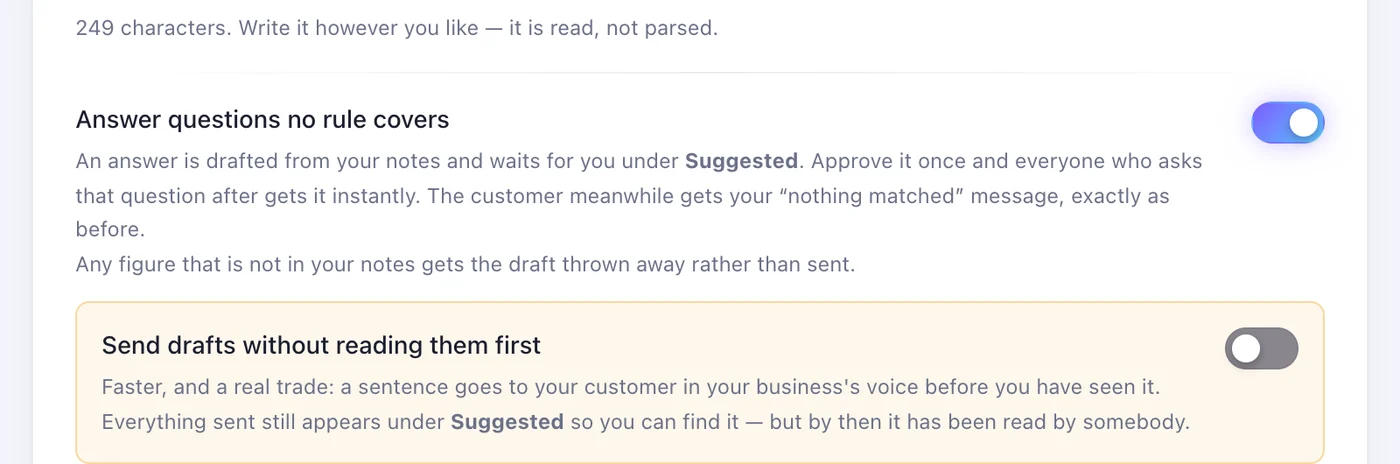
Its answers are waiting for you
Until “Send drafts without reading them first” is on, every answer the AI writes waits under Suggested, and the customer gets your “When nothing matches” message instead — or nothing, if there isn't one. Read them there, or turn that switch on so they go out straight away.
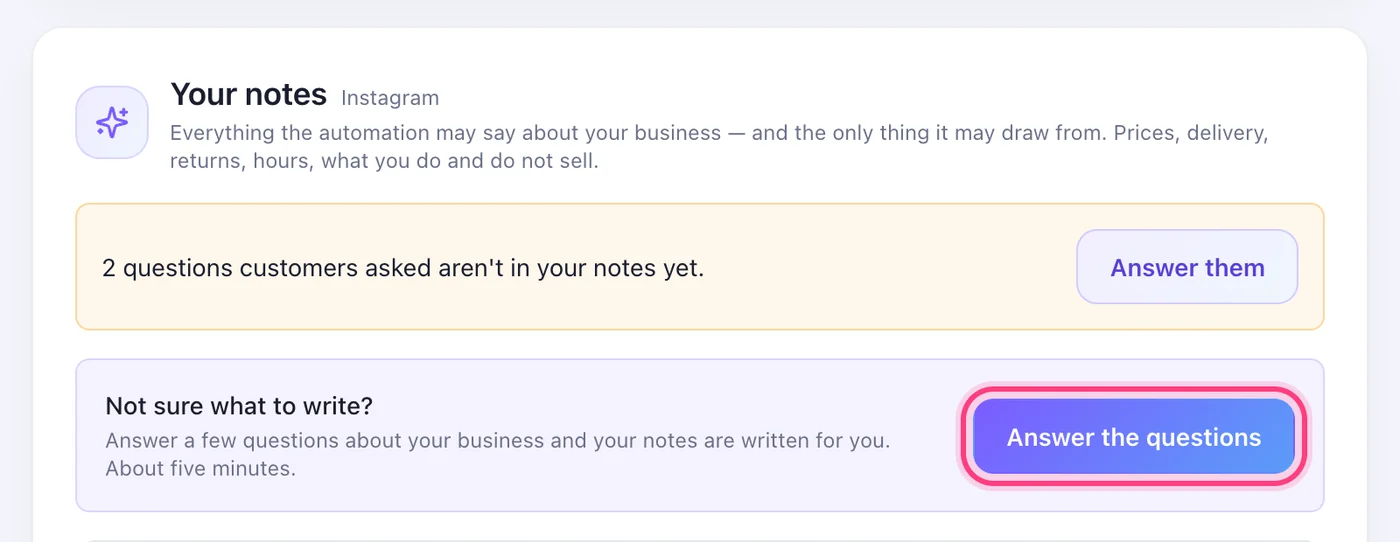
Your notes are empty
The AI answers only from your notes and the answers you've approved. With neither, it says nothing. Press “Answer the questions” on “AI & notes” and your notes are written from your answers.
A rule answered first
The AI only takes what no keyword rule covers: when a rule matches, the rule's reply goes out. With “Understand questions, not just keywords” on, it can also pick one of your rules for a message — and then the rule answers, in your words.
The question wasn't about your business
It speaks for your business and nothing else. Anything else — general questions, other companies, jokes — gets one friendly line bringing them back to what you offer. Under posts, spam, insults and comments that only tag a friend get no reply, and anything personal gets an invitation to send a message.
It didn't have the answer
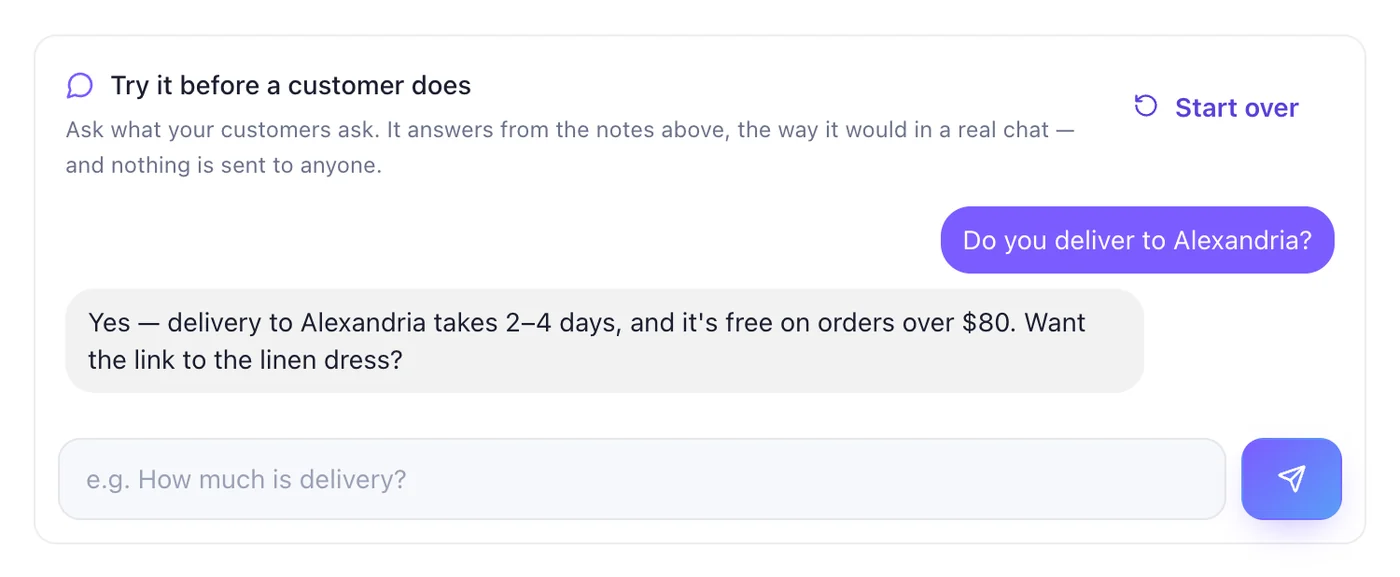
It never states a price, number or date that isn't in your notes: a reply like that is thrown away, and Activity shows it under “Not delivered”. Questions your notes don't cover are collected for you — “Answer them” on “AI & notes” takes you there. Add the fact to your notes, then ask again in “Try it before a customer does”.
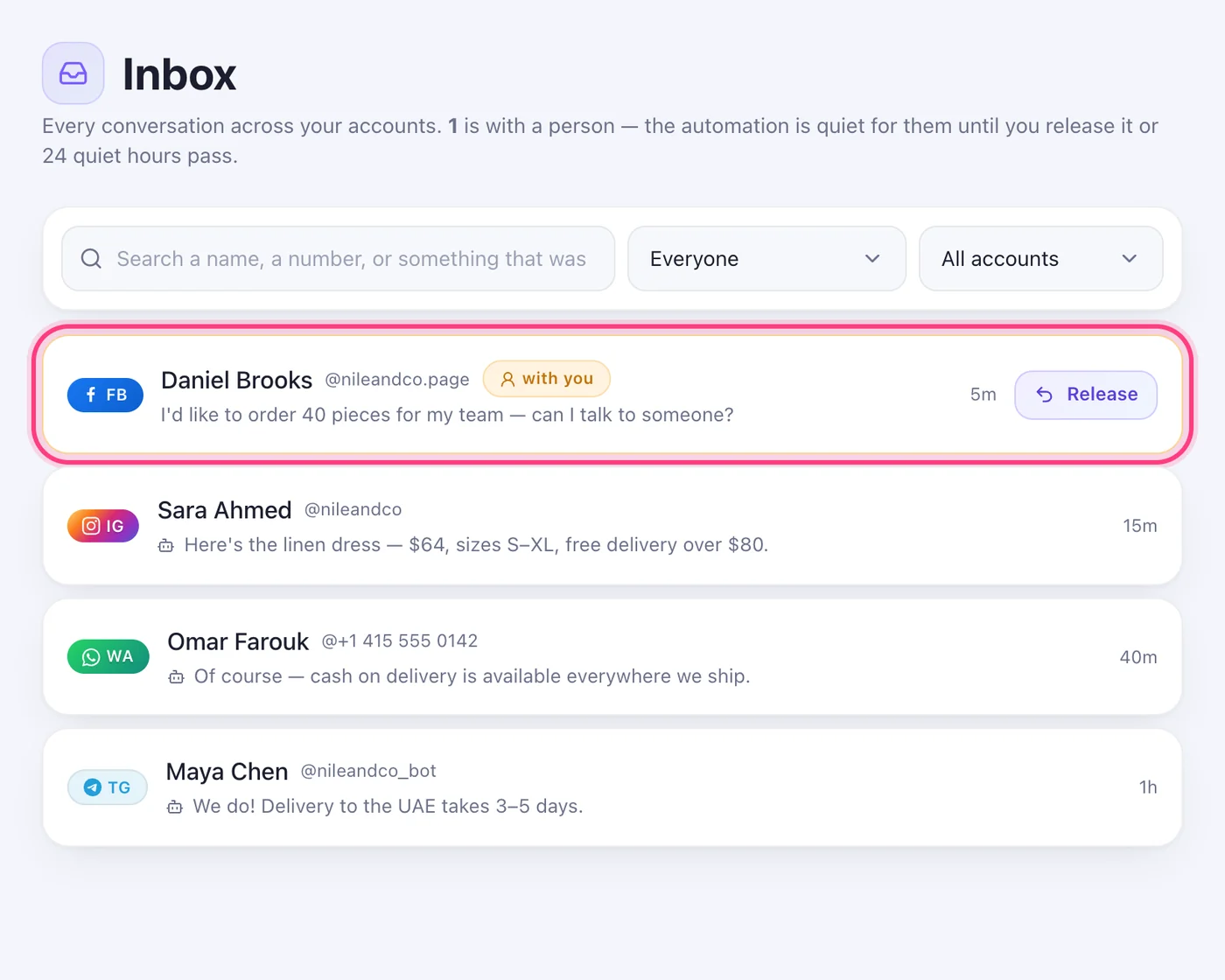
The conversation went to a person
When a customer asks for a person, or after ten AI answers in one conversation, it's handed to you: it sits in the Inbox marked “with you”, and the automation stays quiet in it for 24 hours. Press “Release” to give it back.
A very heavy month
If the AI does far more than usual in a month, new questions come to you instead and we email you “Your AI has handed conversations to you”. Your rules keep answering. Write to us and we'll raise it; otherwise it's back when the month renews.
Paused while we review the notes
“The AI is paused on this account while our team reviews its notes. Rules and your own replies keep working.” The account's card says “Needs attention”. The AI comes back when the review clears it; if you think it's a mistake, write to support@speedytext.app.
Worth knowing
- On one account the AI writes up to 200 message answers and 1,000 comment replies a day; past that, the rest of the day is left to your rules and your “When nothing matches” message.
Was this article helpful?